Documents
A Pro feature. Upload and index your files so the AI can search through them whenever you chat. On the free plan you can still attach a document to a single message to analyze it — it just isn't saved to your library.
Who can use it
Building a document library is part of Chunk Pro. Free accounts can attach one document per chat message: Chunk reads it, answers with it, and discards it after the conversation. Pro keeps every file indexed so it is searchable in every future chat. Documents you uploaded before this became a Pro feature stay in your library and remain searchable.
Supported file types
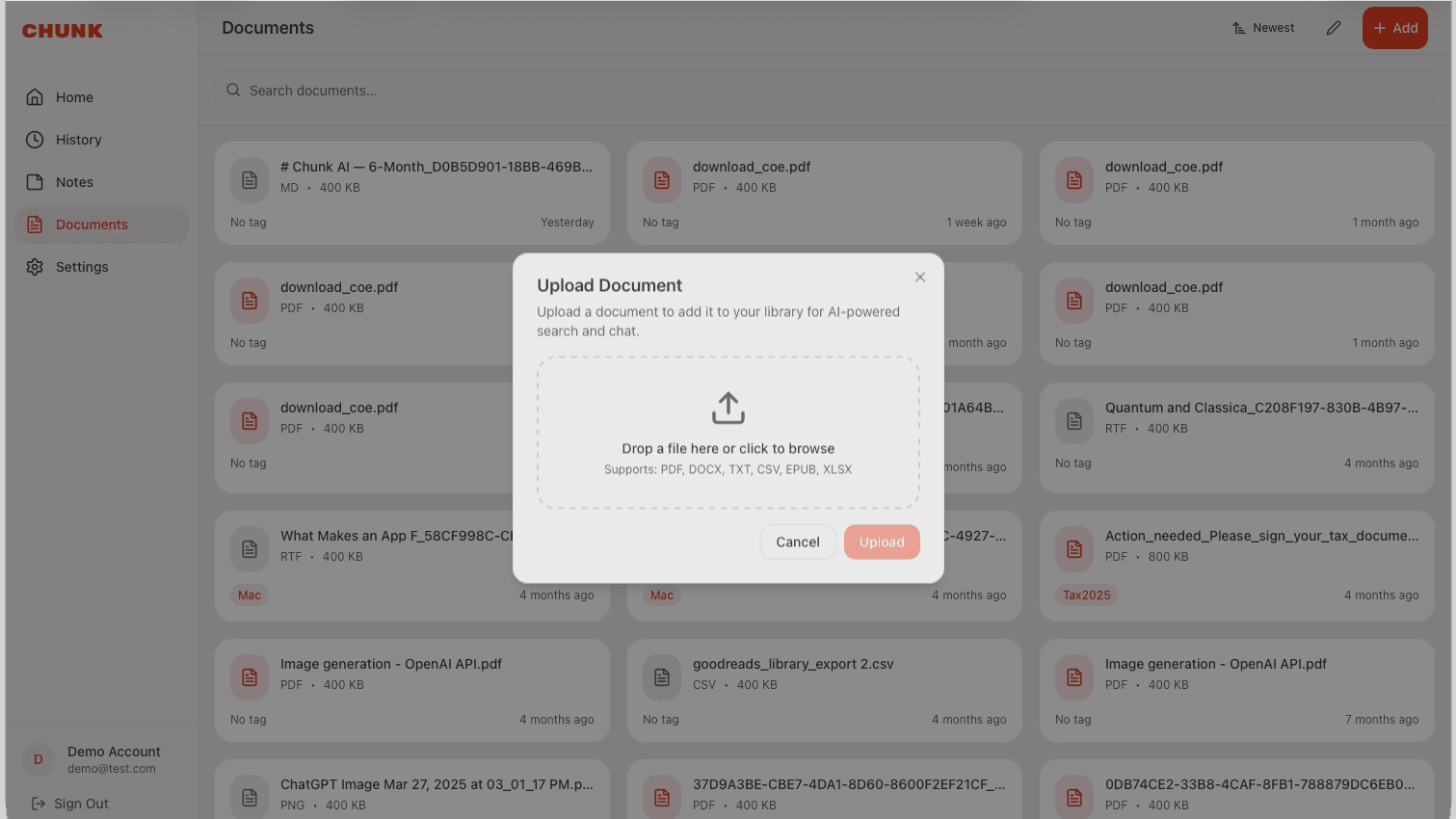
Chunk supports a wide range of document formats, all with a 100MB size limit.
- PDF — research papers, reports, books.
- DOCX / DOC — Word documents.
- TXT / MD / RTF — plain text and markdown.
- CSV / XLSX — spreadsheets and data files.
- XML / EPUB — structured content and ebooks.
How indexing works
When you upload a document, Chunk extracts the text and creates vector embeddings. This means the AI can semantically search your files — not just keyword matching, but understanding the meaning of your questions to find relevant passages.
Tagging documents
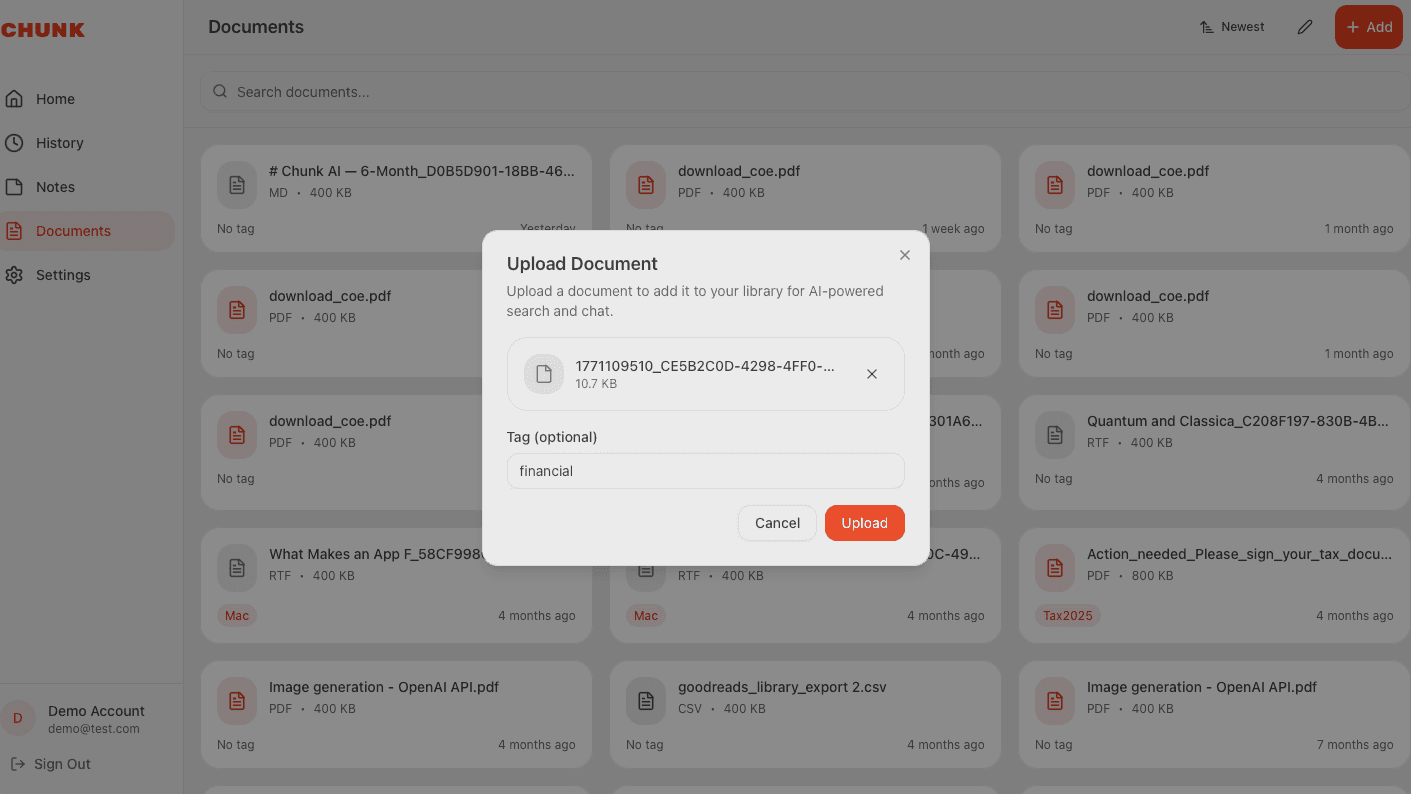
Organize your documents with tags like "Work", "Research", or "Personal". Add a tag when you upload, or edit it later from the Documents page. Tags make it easy to filter and find specific documents.
Filtering in chat
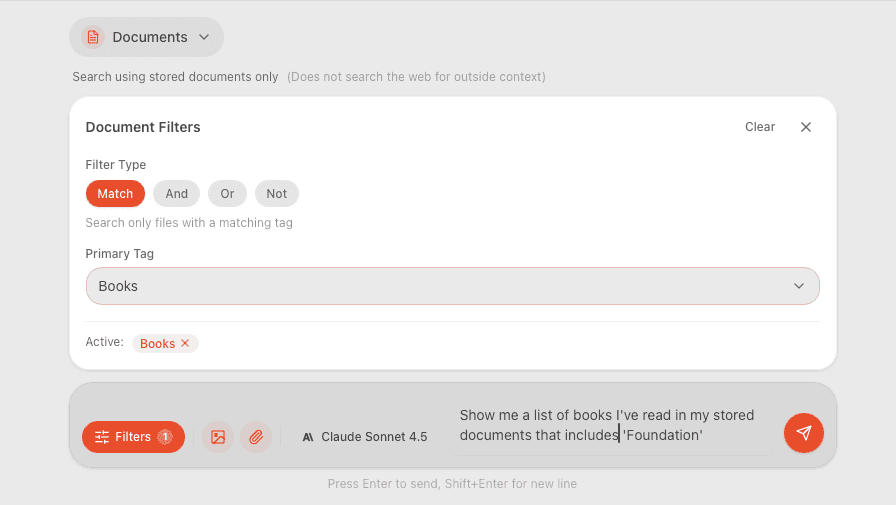
Control which documents the AI searches when answering. Tap the filter icon in chat to select tags and choose a filter mode — match a single tag, combine with And/Or, or exclude with Not. Available in "Documents Only" and "All" search modes.
Managing documents
The Documents page shows all your uploaded files in a searchable grid. Sort by newest, oldest, tag, or file type. Click any document to view its details, edit tags, or delete it. Use edit mode for batch operations.