Chunk brings notes, papers, and questions into one workspace for research, projects, and learning. Ask with selected sources, inspect citations, save an editable brief, and set up recurring work when a topic needs another look. It is available on the web, iPhone, iPad, Mac, and Vision Pro.
Free · research, watchers, digest · Pro adds agent tasks
Also inside
Document searchAI memoryGPT, Claude & GeminiImage generationGamma & NotionMarkdown export
02
Why I built Chunk
I started building Chunk in late 2023 because my own reading was scattered across PDFs, browser tabs, and half-finished notes, and every AI tool I tried answered questions without showing me where the answer came from. I wanted a workspace that keeps the source beside the thought: something that remembers what I saved, answers across it with citations I can check, and turns a good source into notes I can actually study from.
Chunk runs on iPhone, iPad, Mac, Apple Vision Pro, and the web, and the Apple apps now work with Siri, Spotlight, and Shortcuts on iOS 27. I build it on my own, as Curious Minds Software in California, and I still use it for my own research every day. The rule behind every feature is the one on the front page: Chunk remembers what you saved and shows where its answers came from.
James Gobert · Founder and developer, Curious Minds Software
03
Fact sheet
Everything below is current as of September 2026. The zip includes this sheet as Markdown.
App name
Chunk. Listed on the App Store as "Chunk: AI Research Assistant".
Developer
Curious Minds Software, LLC, an independent software company in California.
Founder
James Gobert, founder and developer
Platforms
iPhone and iPad (iOS and iPadOS 18.4 or later) · Mac (macOS 15 or later) · Apple Vision Pro (visionOS 26.2 or later) · Web (any modern browser). Siri, Spotlight, and Shortcuts features use iOS 27, macOS 27, or visionOS 27.
Category
Productivity
Price
Free. Chunk Pro is $9.99 a month or $99.99 a year (about $8.33 a month). Prices and any trial terms are shown at checkout. Family Sharing is supported for subscriptions.
Age rating
13+
Languages
Apple apps: English, French, German, Italian, Japanese, Spanish.
Current version
2.6.0 for iPhone, iPad, Mac, and Vision Pro (September 2026). The web app updates continuously.
AI models
GPT-5.6 Luna on Free. Pro adds GPT-5.6 Sol and Terra, Claude Sonnet 5, Claude Opus 5, Gemini 3.5 Flash, and Gemini 3.1 Pro.
Your data
Not sold. Not used to train AI. Export notes as Markdown and research reports as PDF or Markdown. Delete your account in-app. Memory is off by default.
Every capture below is the shipped product with demo data. Nothing is mocked up.
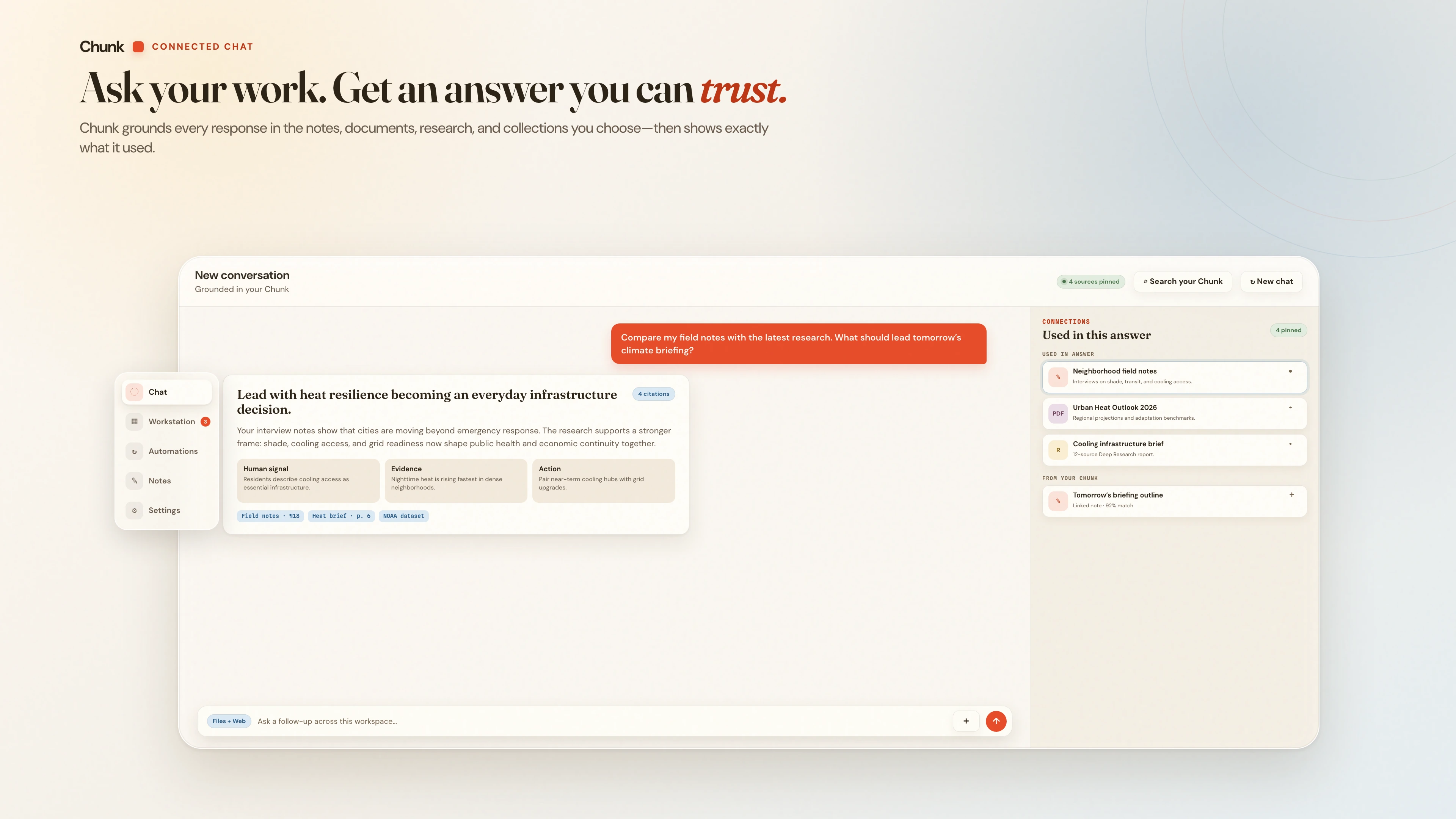
Ask one question. See the whole trail.
An answer is more useful when you can follow its reasoning. Bring your saved sources into the conversation, check the material provided, and pin a related idea for your next question.
Every answer shows the sources it grounded on and related items from your own notes, documents, research, and collections. Chat runs on GPT, Claude, and Gemini models; Free includes 6 messages a day, Pro 200.
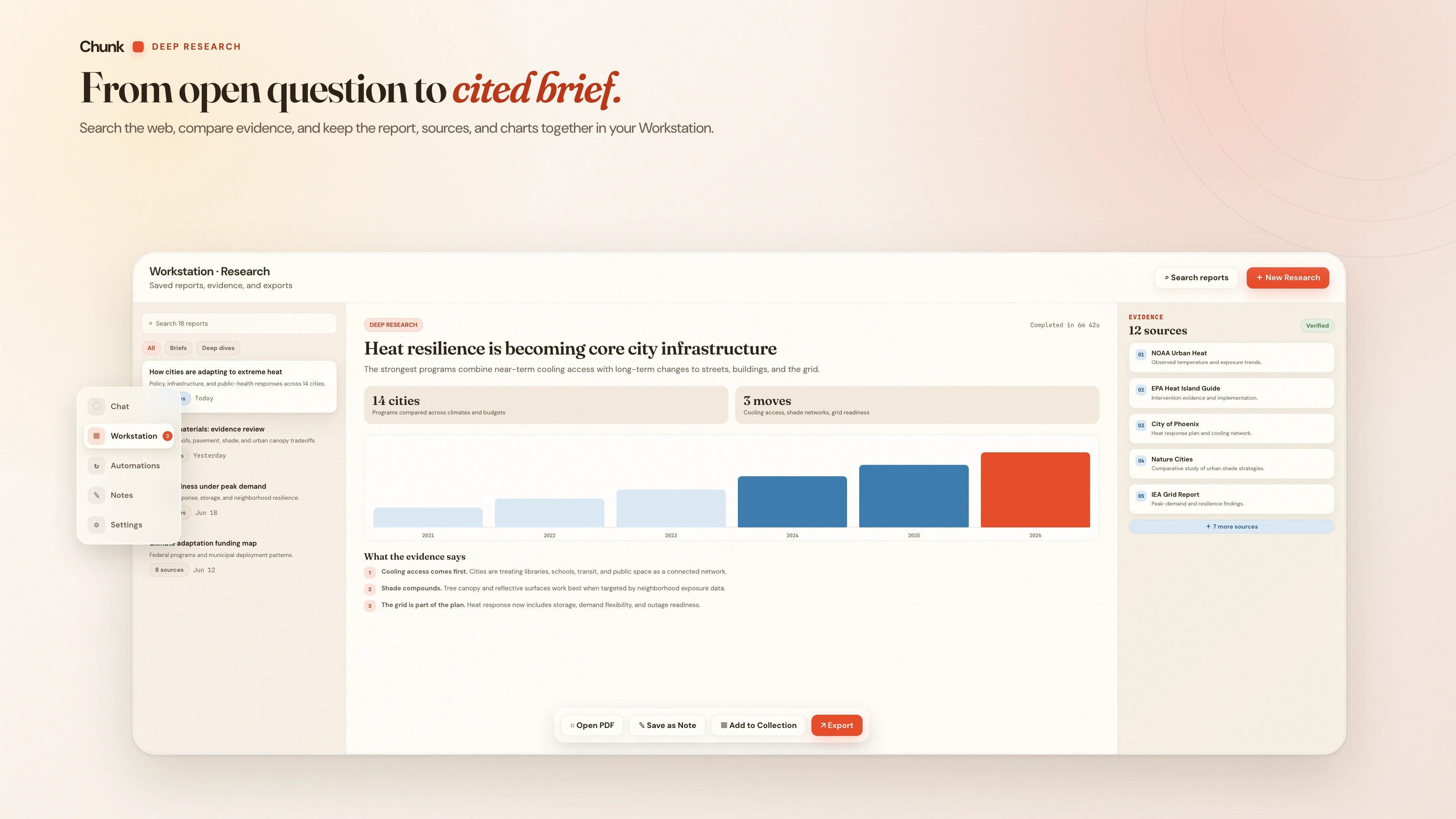
Ask a big question. Get receipts.
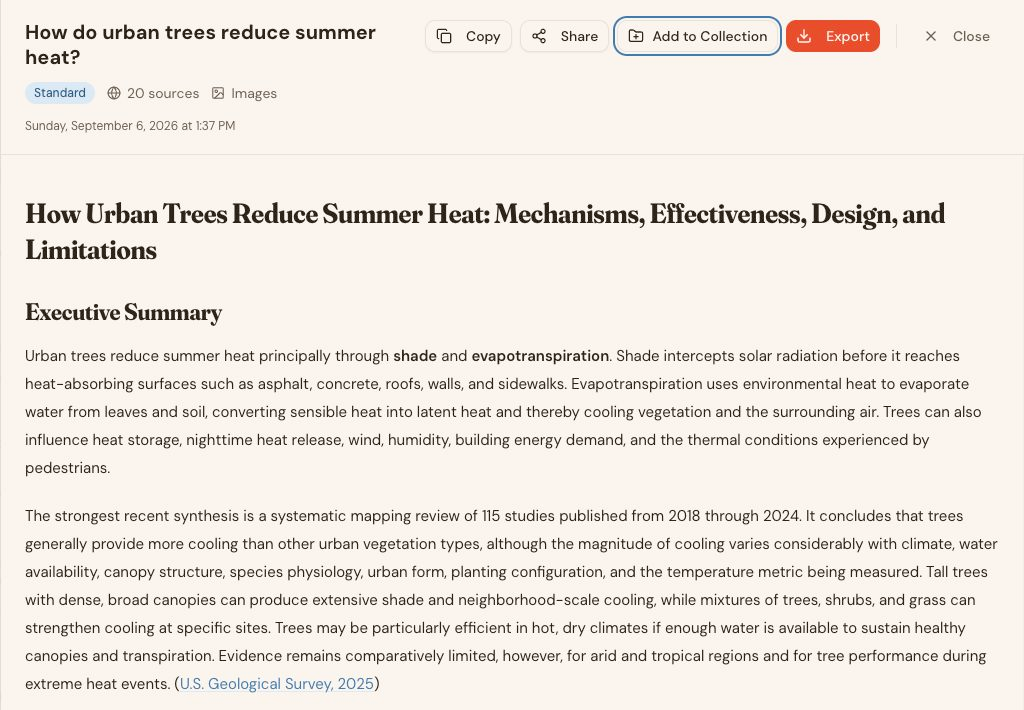
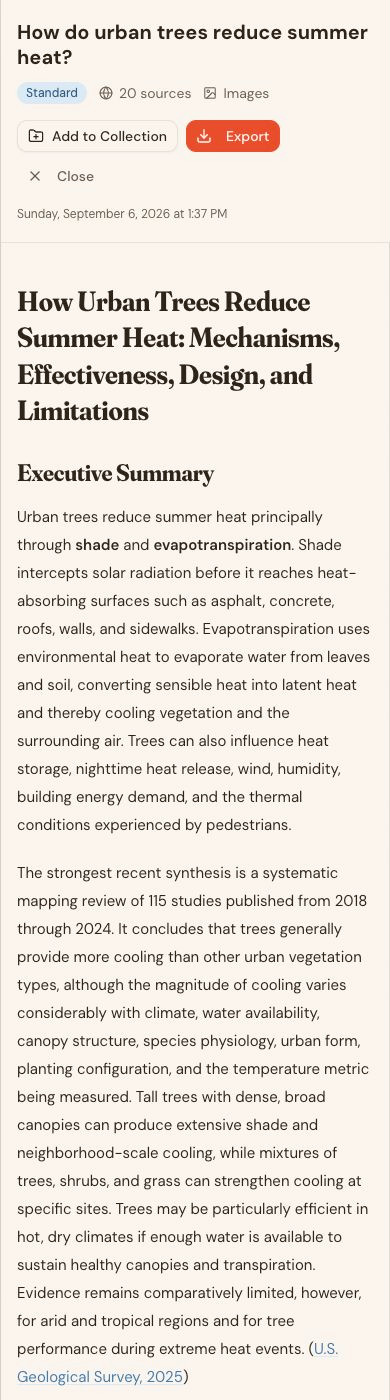
Turn a question into a report with sources you can follow. Bring it to your next paper, client brief, or project — then keep exploring with the research beside you.
Choose a depth — Quick Outline, Resource List, or Standard Report on Free; Detailed Report and Deep Research on Pro — plus a tone and a citation format (APA, MLA, Chicago, or Harvard). Export any report as PDF or Markdown.
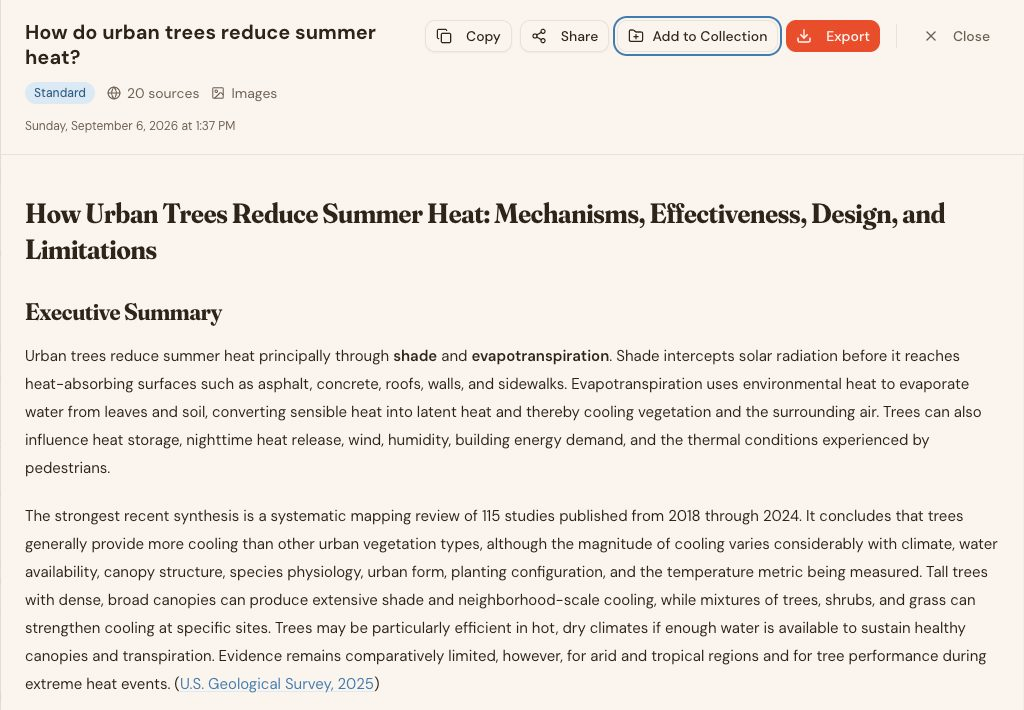
Web app · A completed Standard report: 20 sources, opening findings, and a USGS citation.
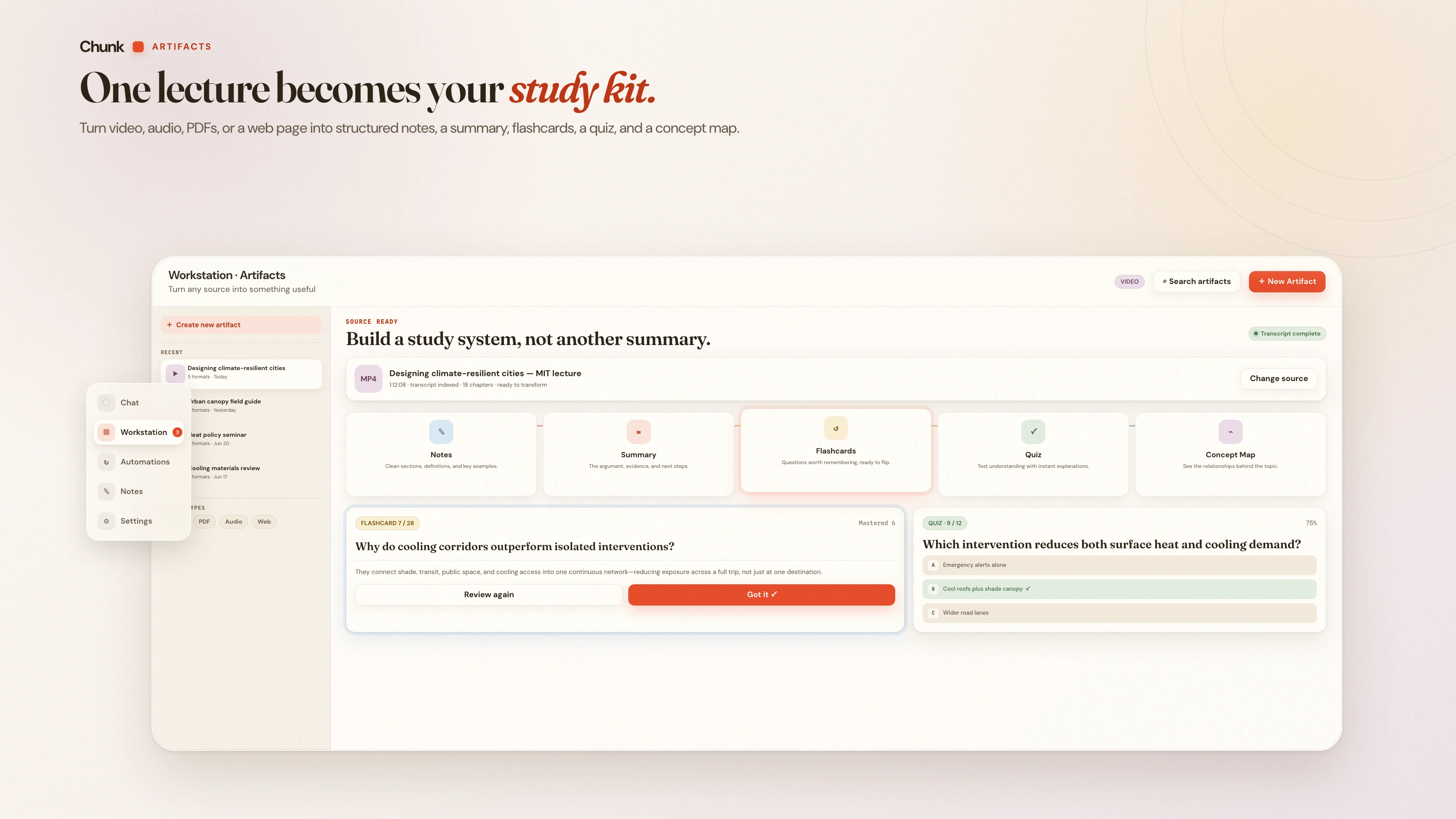
Bring a lecture, podcast, article, or PDF. Choose notes for your project, a summary for a quick refresher, or flashcards and quizzes for the part you want to remember.
Sources include YouTube, web pages, podcasts, audio files up to 200MB, and PDFs up to 50MB; outputs are notes, a summary, flashcards, a quiz, and a concept map, in multiple languages. Flashcards and quizzes track your progress with spaced review. Free accounts can make one Artifact a week; Pro raises the limit.
Write it down. Find your way back.
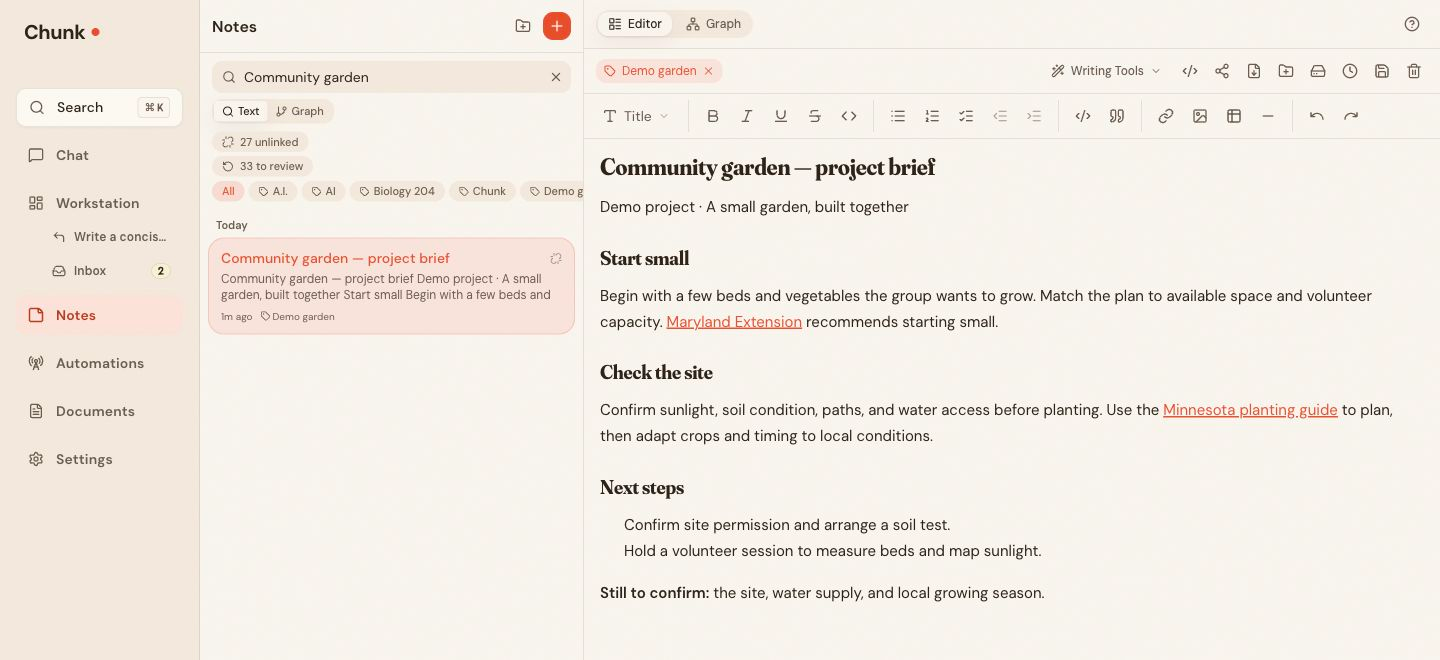
Keep the decision, the source, and the idea it sparked within reach. Link your notes as you write, follow the trail later, and turn rough thinking into a draft worth sharing.
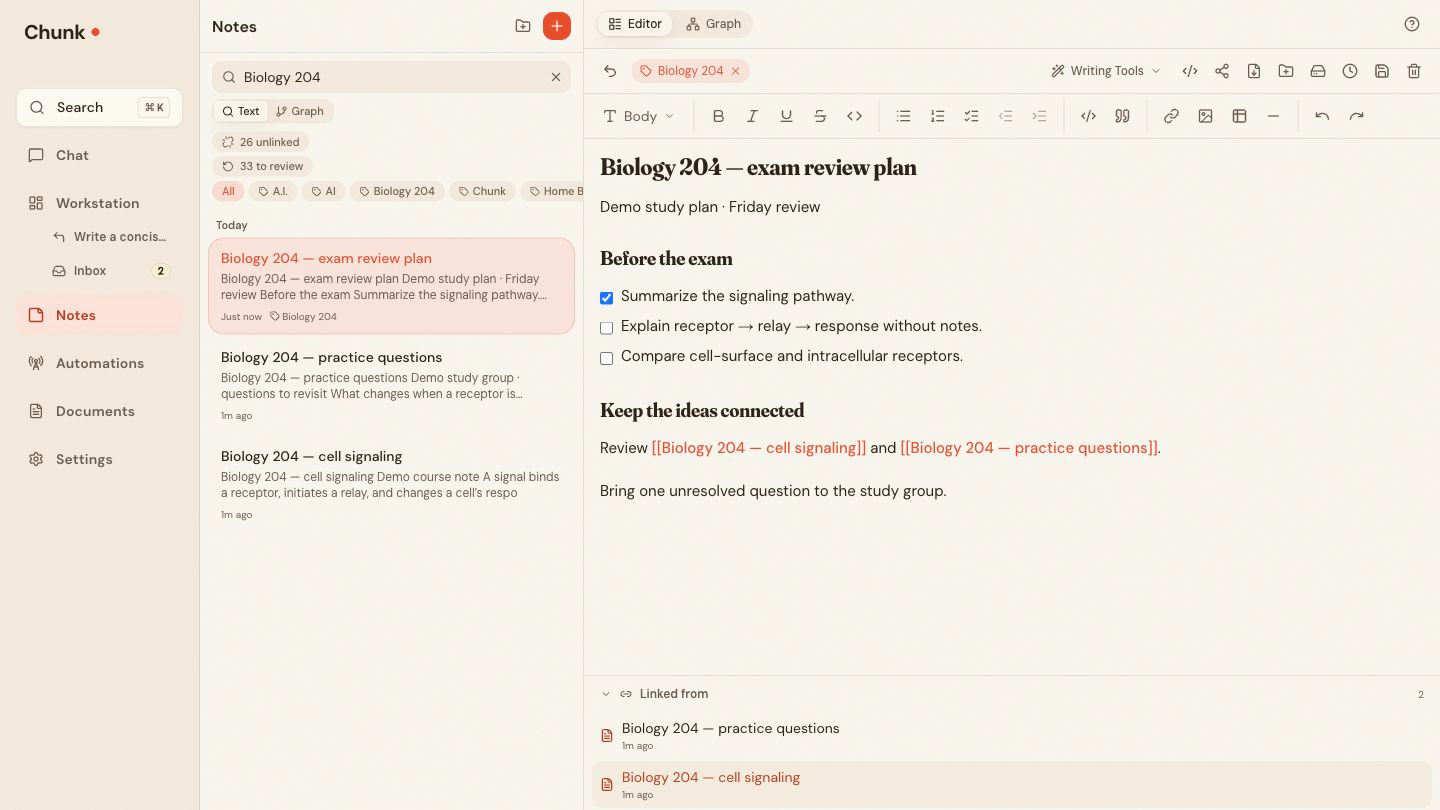
Wiki-links work across notes, documents, research, and collections; backlinks and a living graph show how ideas connect. Notes export as Markdown and can be published as a public page. Included with Free.
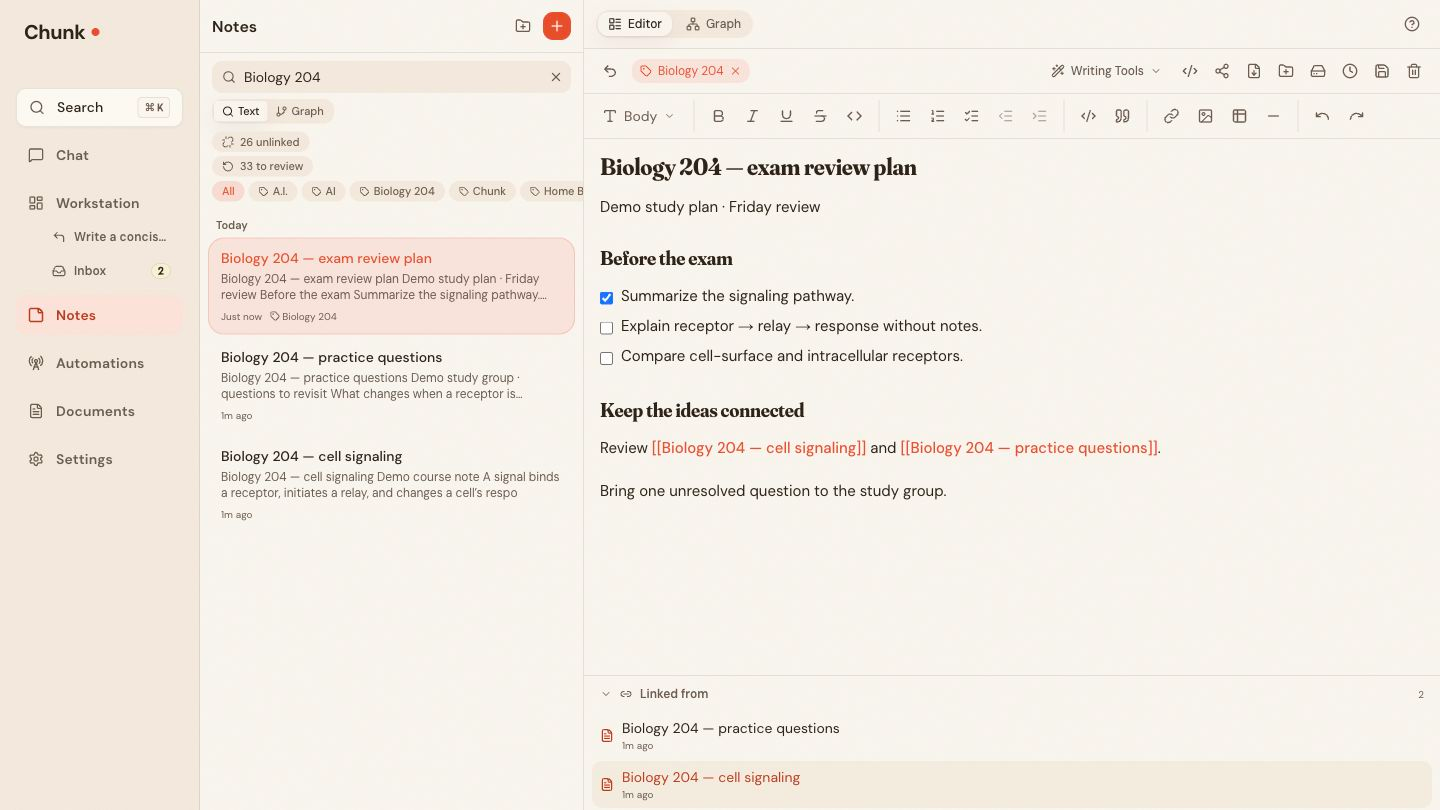
Web app · An editable study checklist with two linked notes and their backlinks.
Bring the reading, the conversation, and the finished brief together. Choose the sources for your question, save what comes out of it, and pick up your project where you left off.
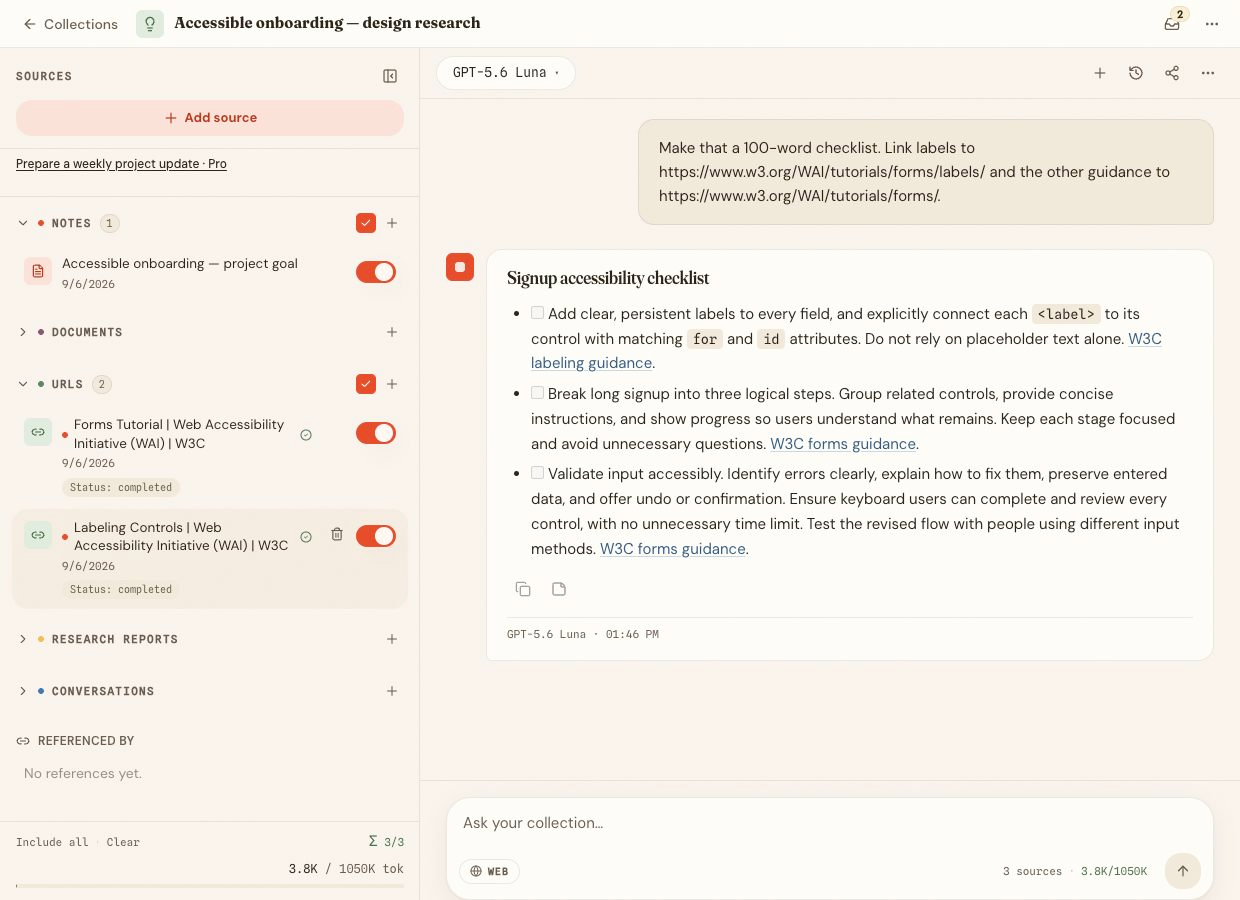
A collection holds notes, documents, links, research reports, and past conversations; collection chat cites them by number. Projects (beta) add a goal, a working note, and suggested next steps. Free includes one collection; Pro expands collections and can create Projects.
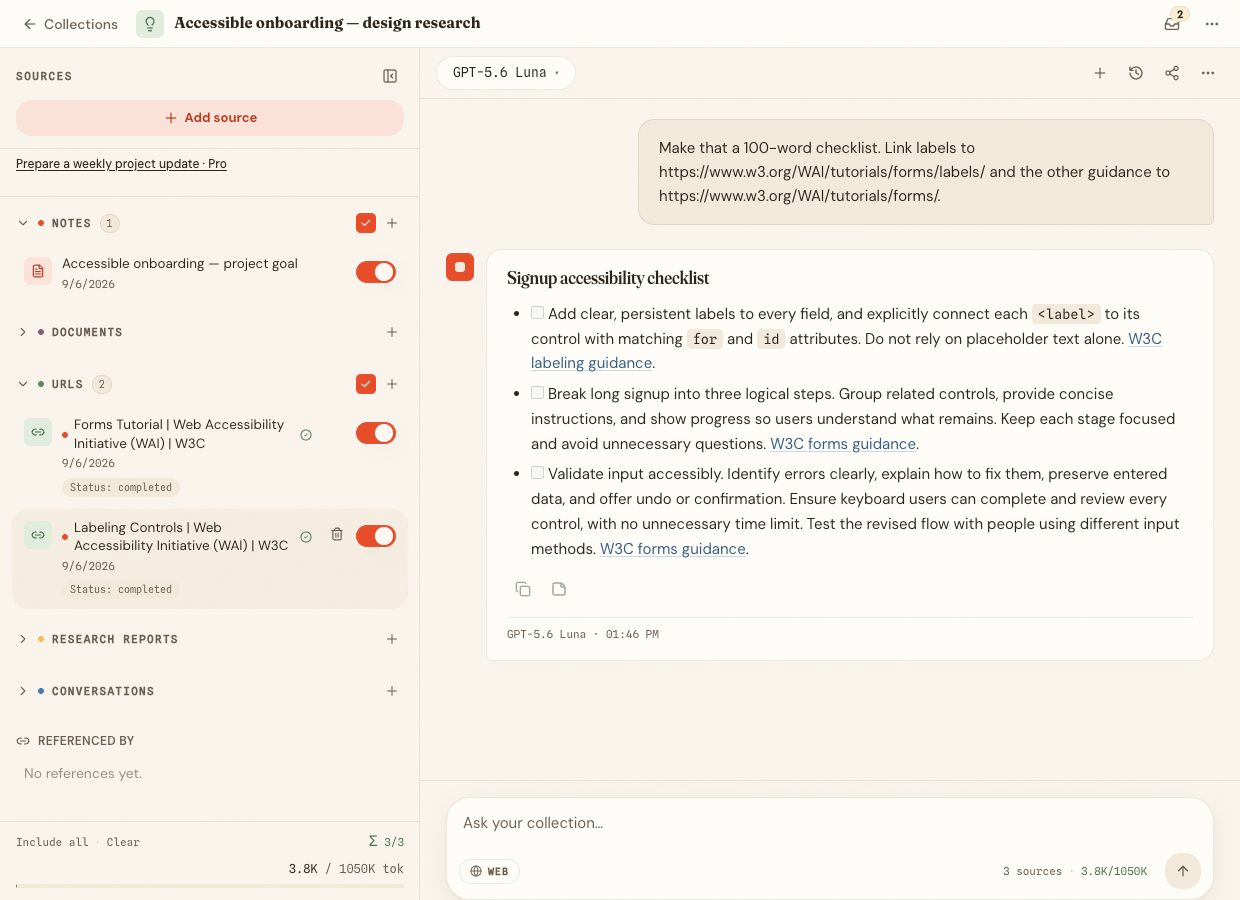
Web app · Three selected sources beside a cited signup accessibility checklist.
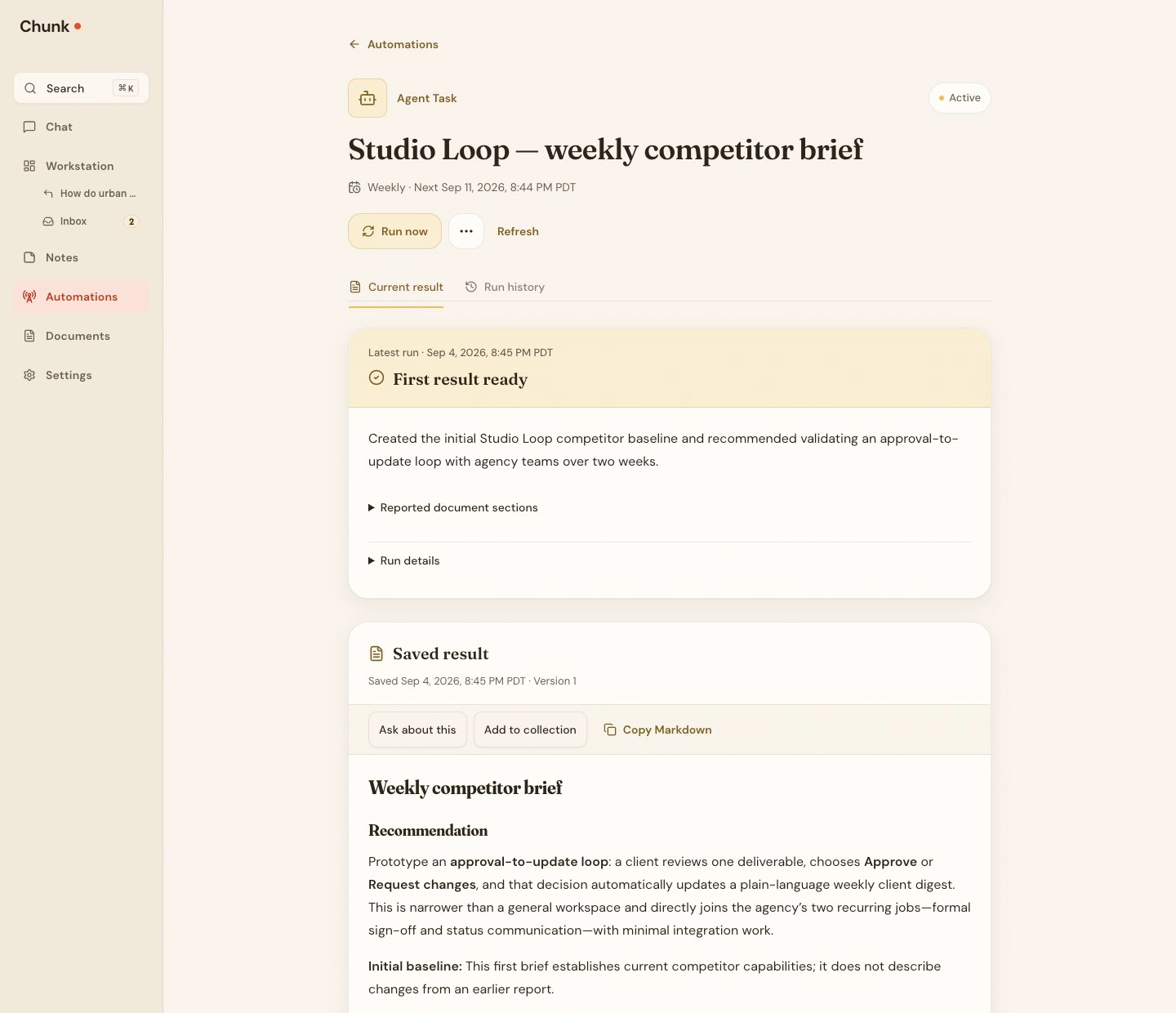
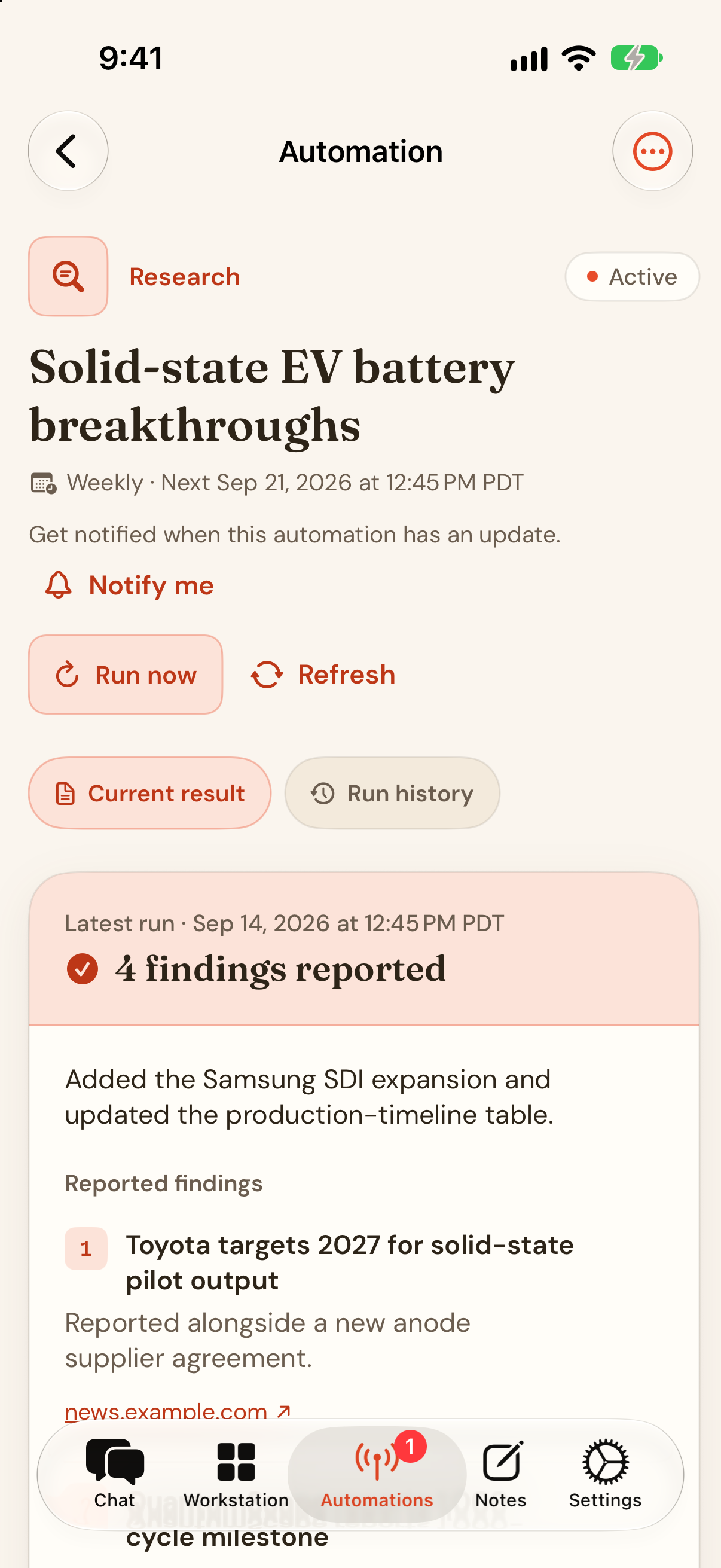
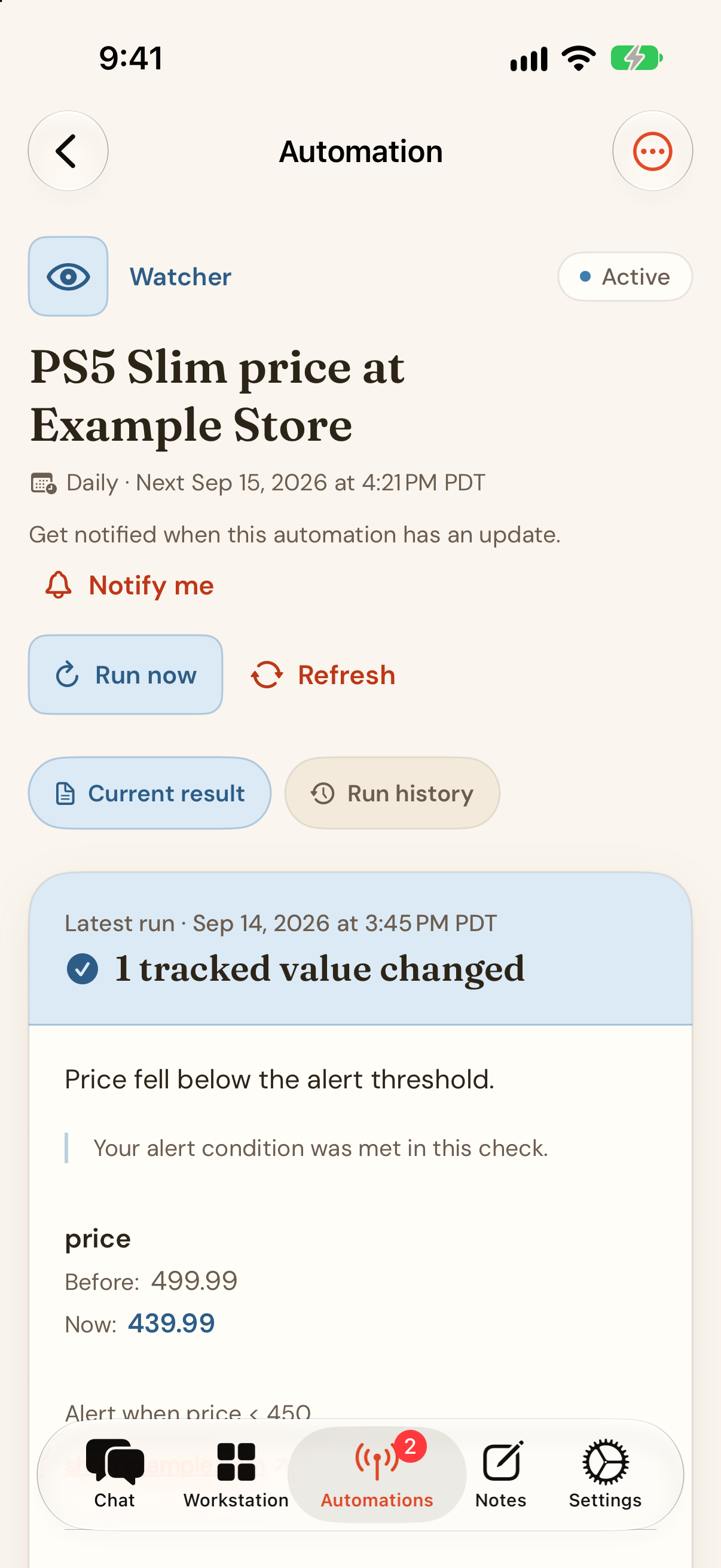
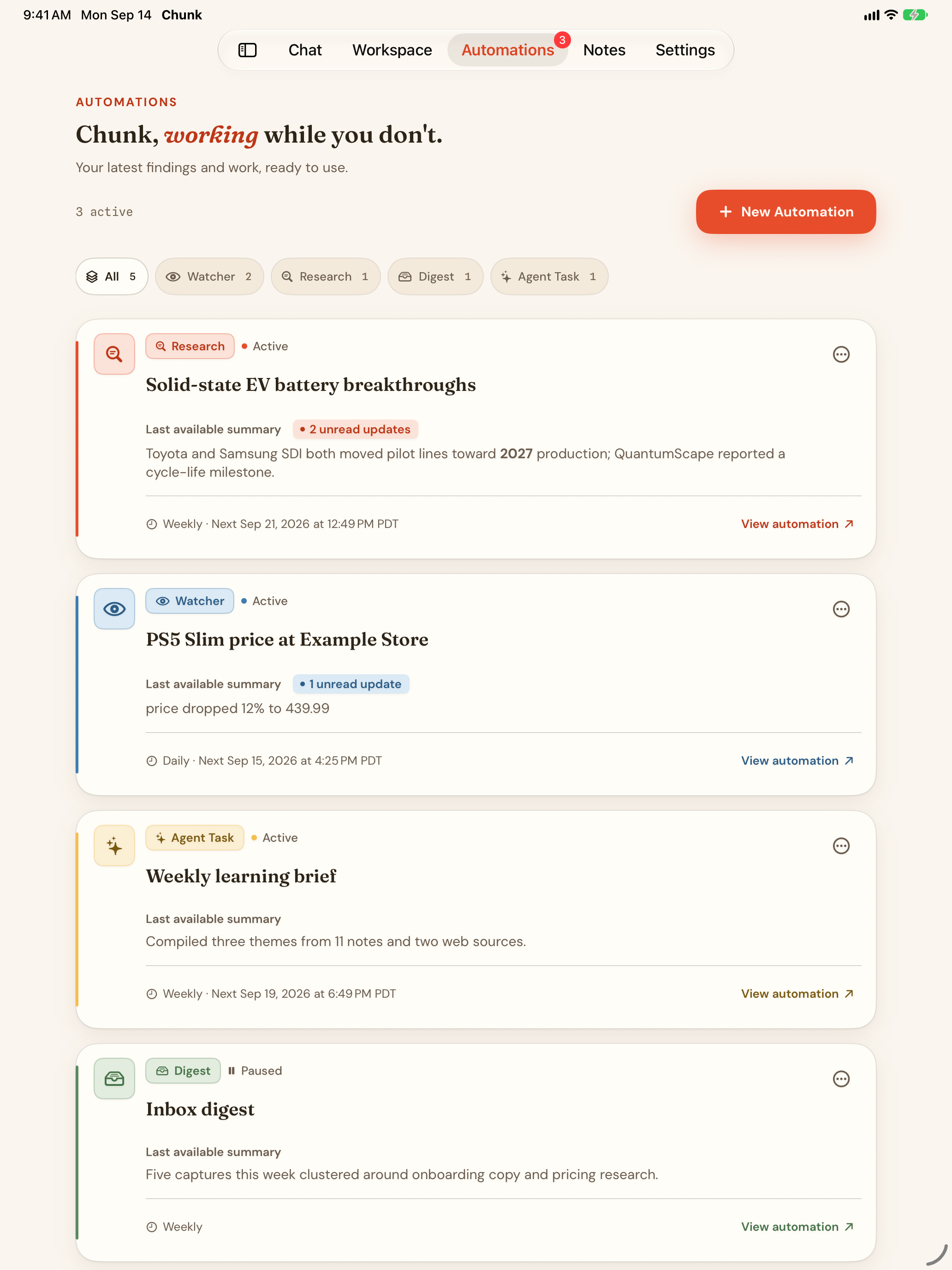
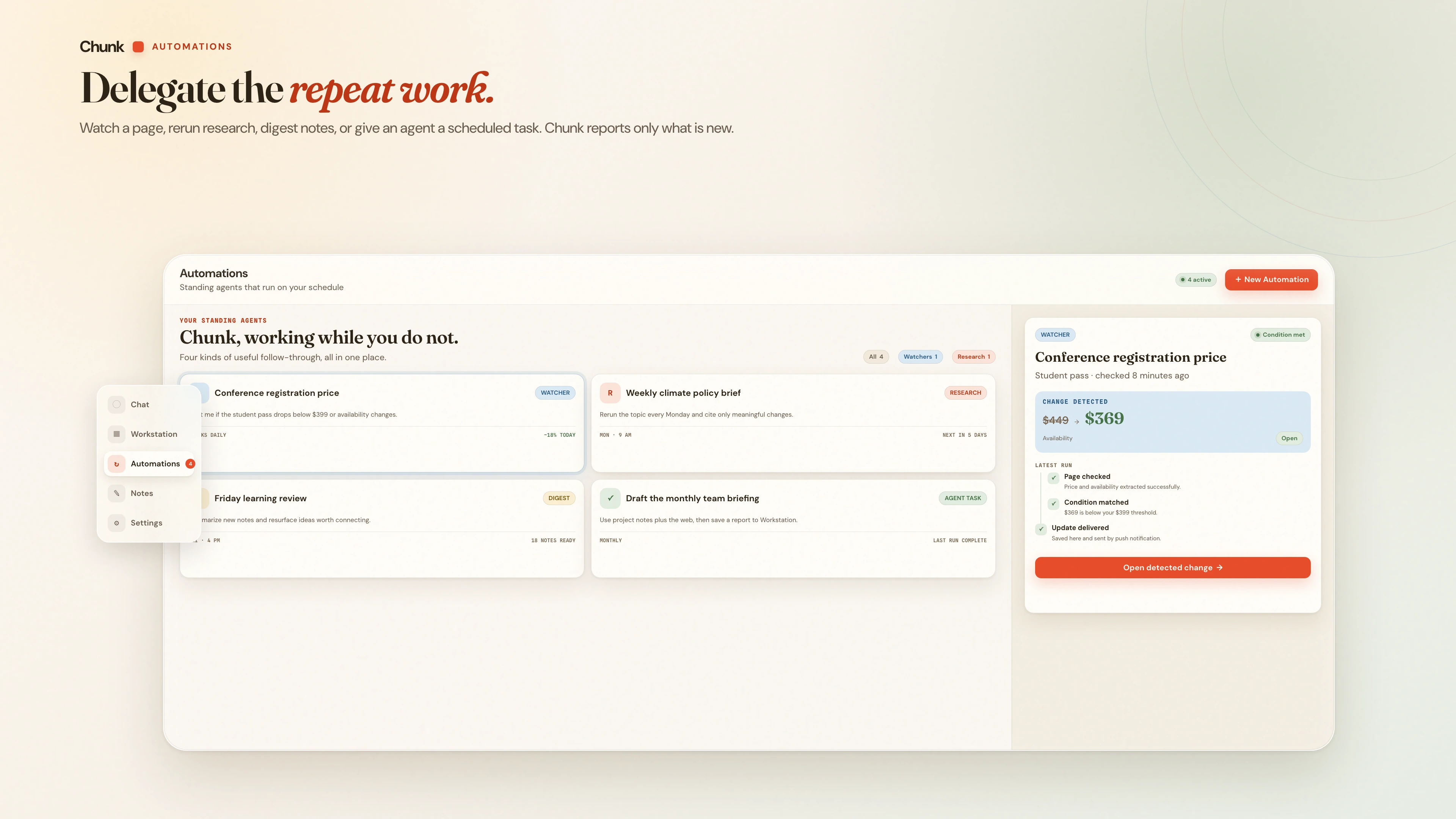
Revisit a topic, watch a public page, digest your notes, or give a Pro agent a recurring task. Read the result and its updates in Chunk.
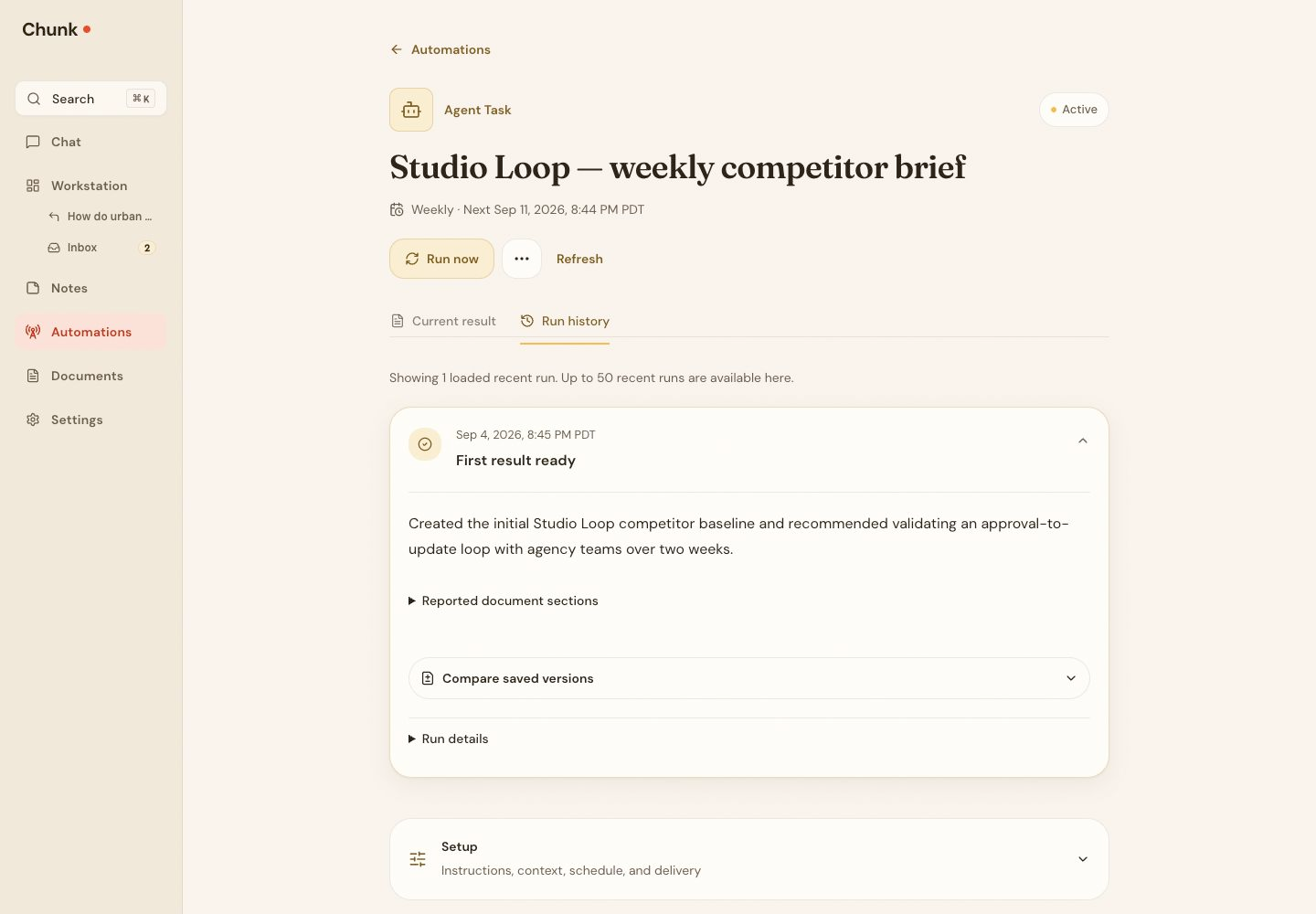
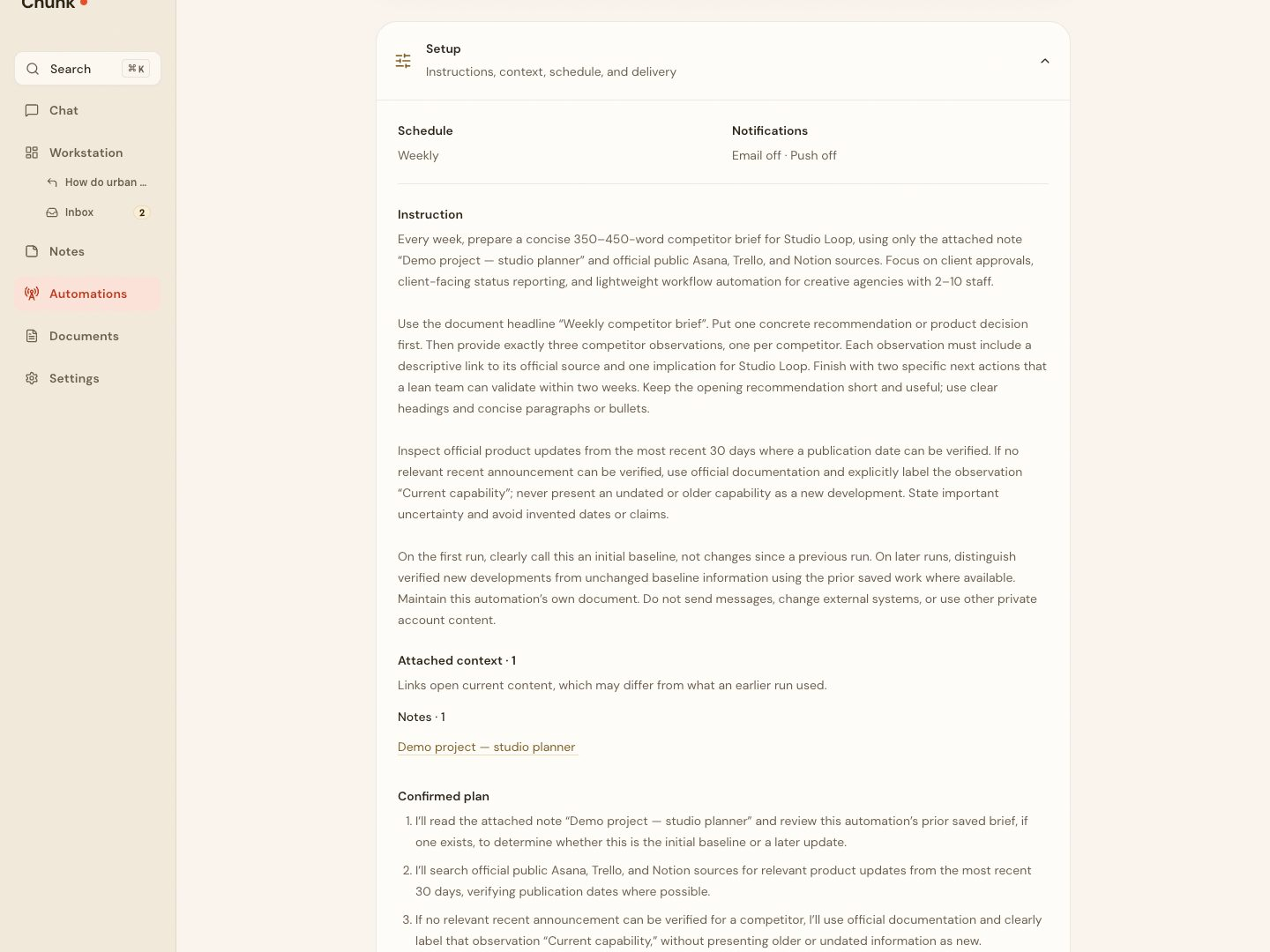
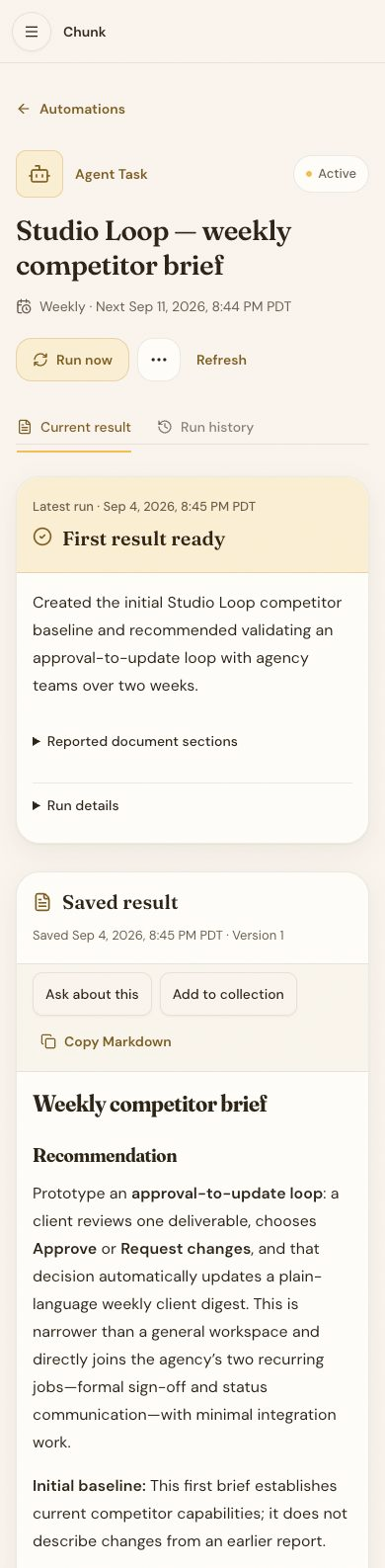
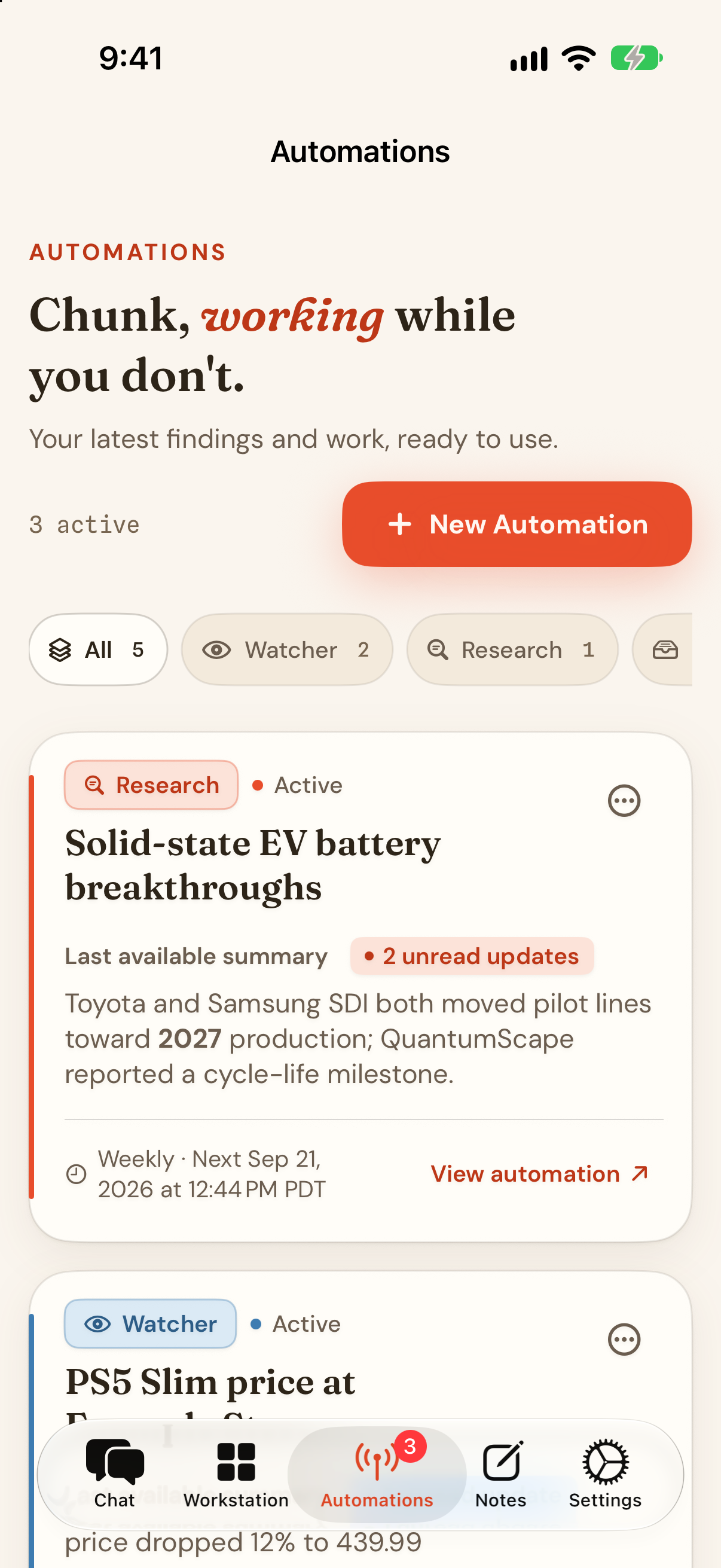
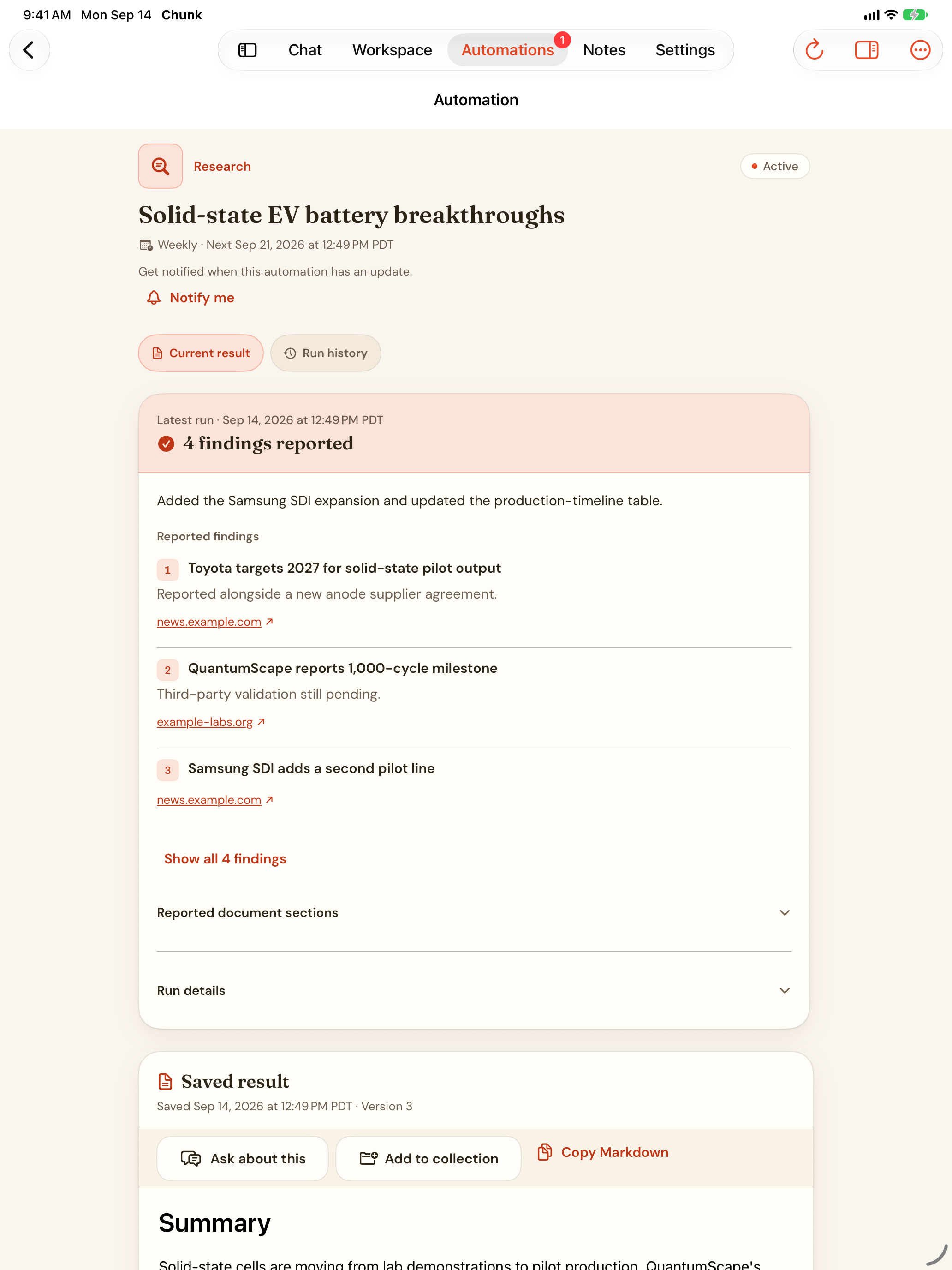
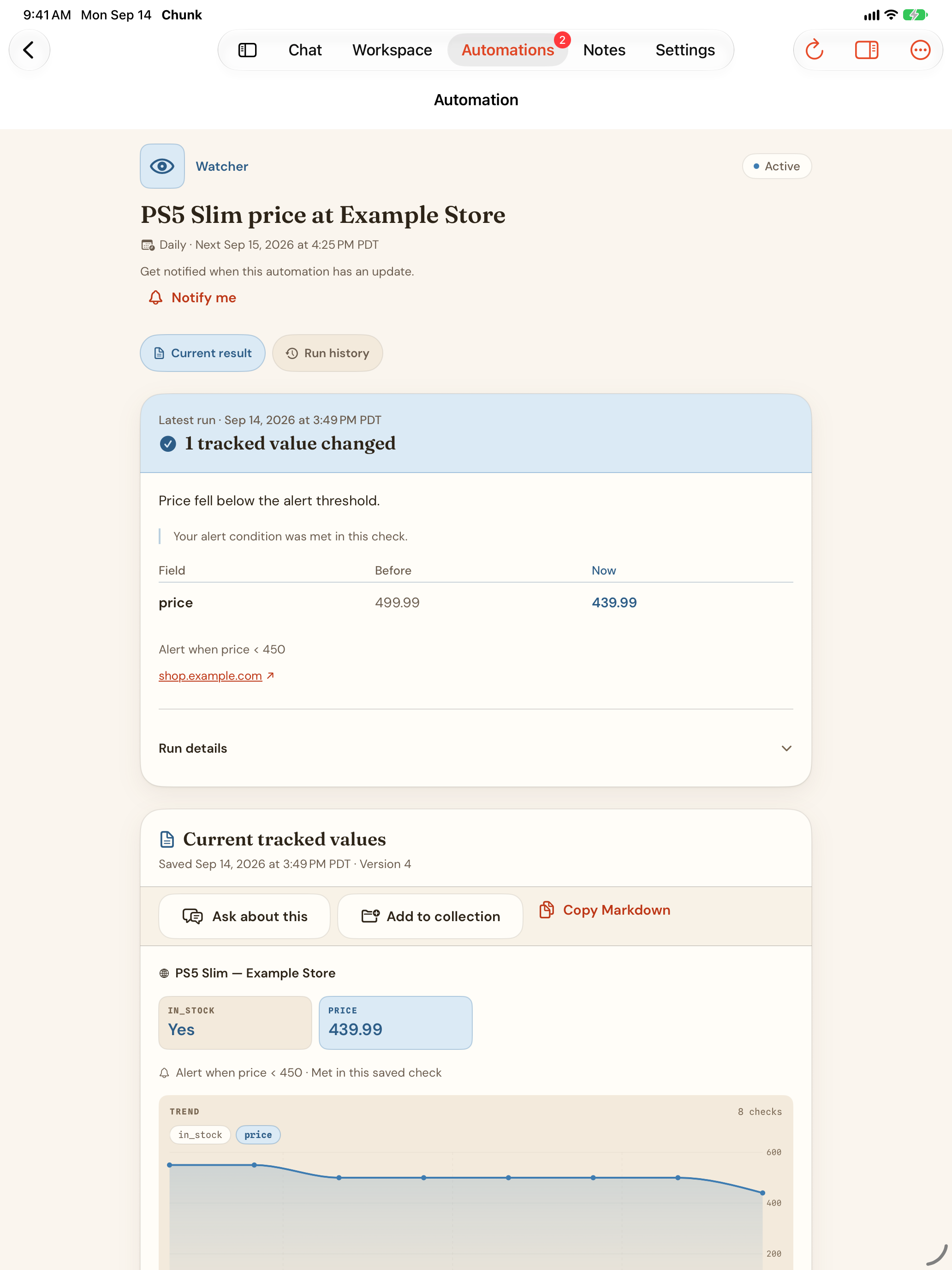
Four kinds run on a schedule: Research, Watcher, Digest, and Agent task (Pro). Each keeps one maintained result with a run history you can compare. Free includes one recurring research automation, three watchers, and a weekly digest; Pro expands the limits and adds agent tasks.
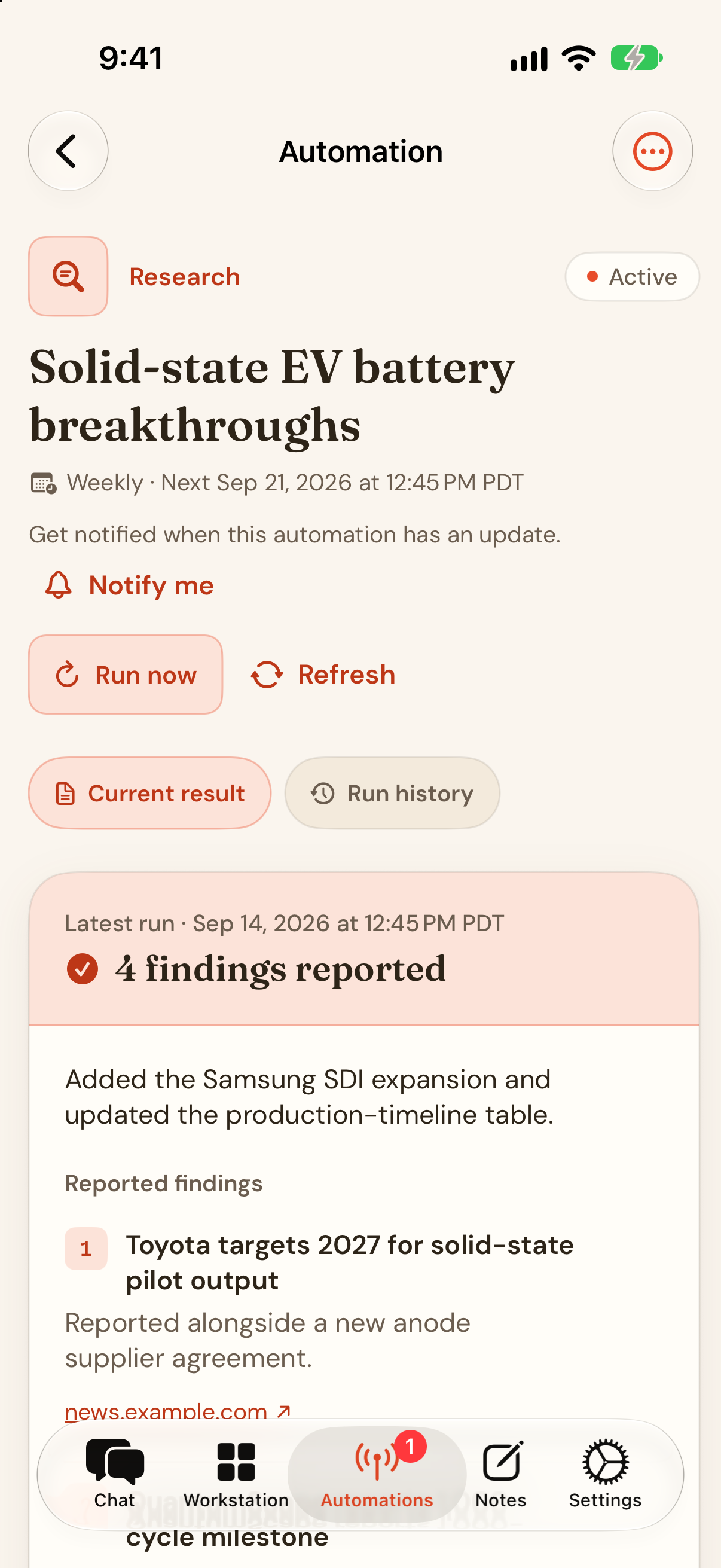
iPhone · A research automation's current result, version 3, on the demo topic.
With Memory on, Chunk can remember what you're working on, how you like answers, and what you're learning. Give the next conversation a head start — and review, correct, or erase what it keeps.
Memory is off by default. Free keeps up to 10 memories, Pro up to 500, and accounts can opt into per-user encryption at rest. Memories are never indexed by Spotlight.
Bring it in without breaking focus.
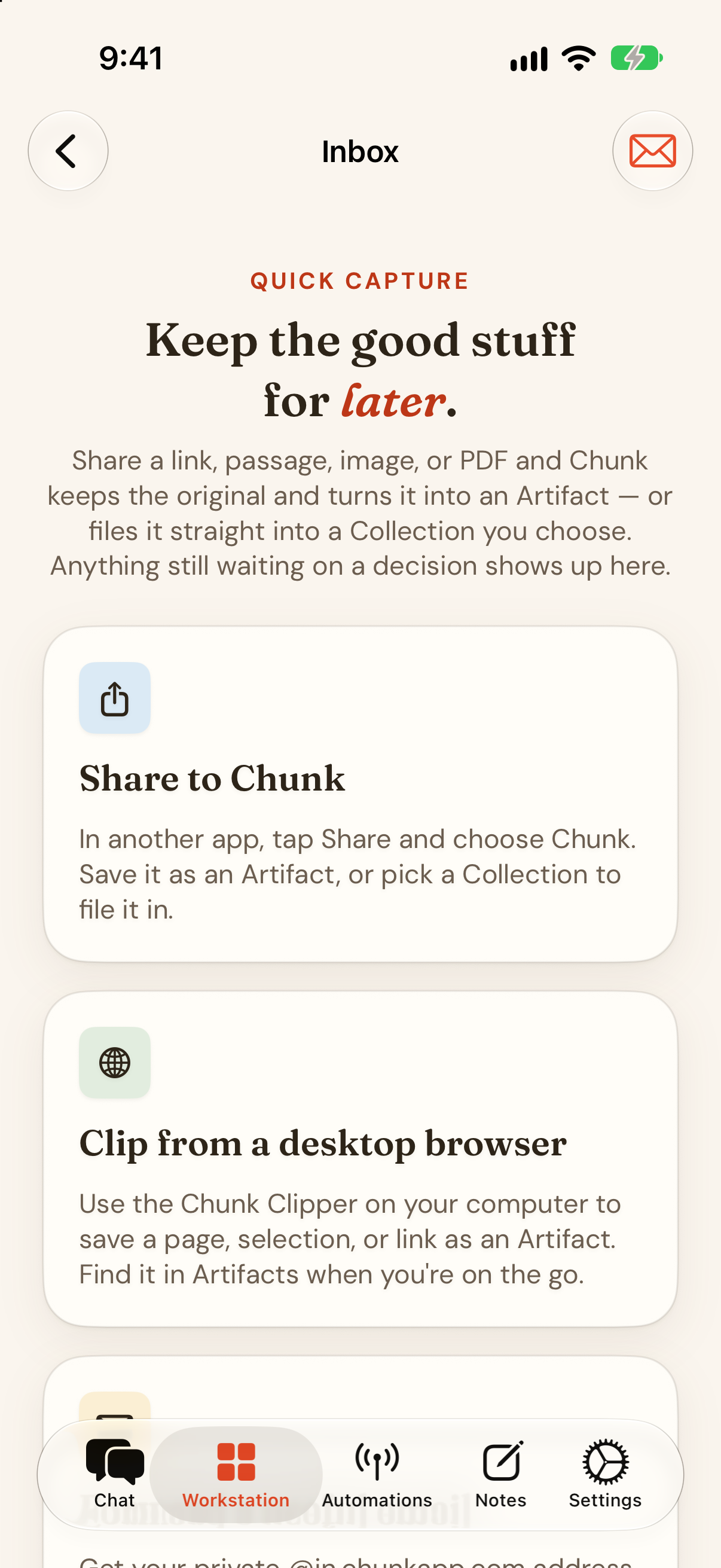
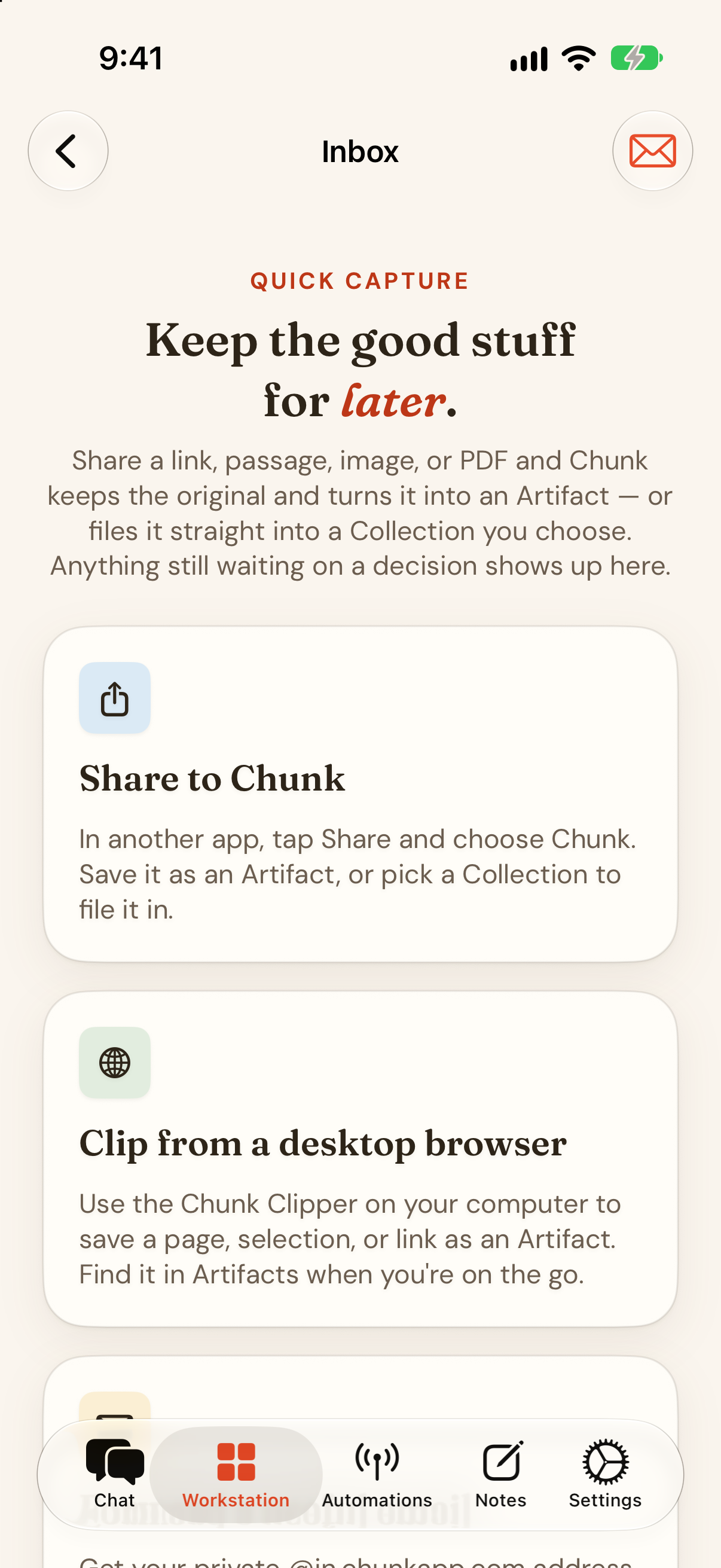
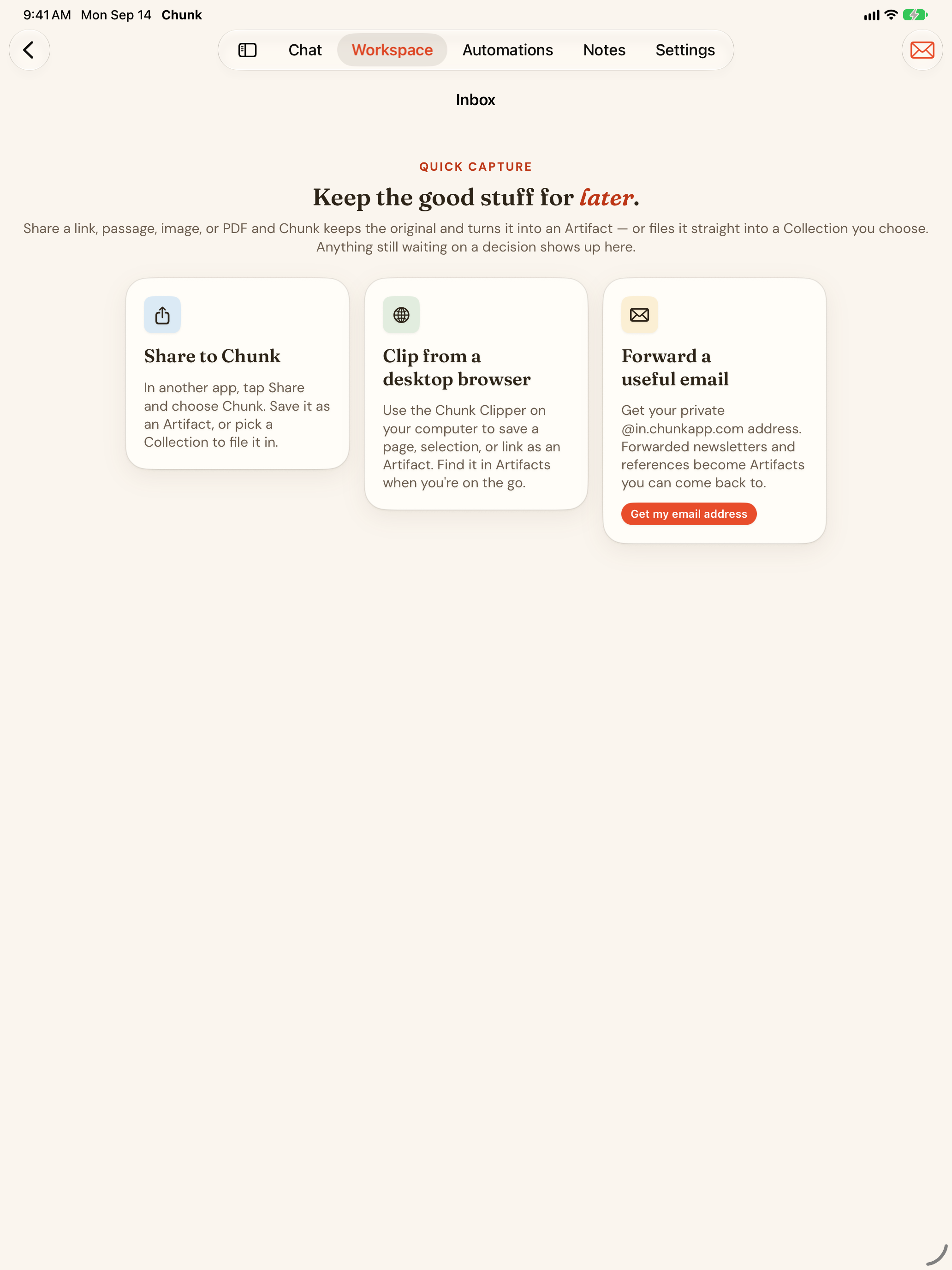
Send supported links, text, images, and PDFs from apps that offer the system share menu. The Save to Chunk share extension saves links, text, images, and PDFs as Artifacts — or into a Collection you choose — no copy-paste required.
On the web, paste or drop; in Chrome and other Chromium browsers, use the Chunk Clipper; from any mail app, forward to your private Chunk address. Free allows 10 captures a day, Pro 100.
iPhone · The ways into Chunk: share sheet, clipper, and email.
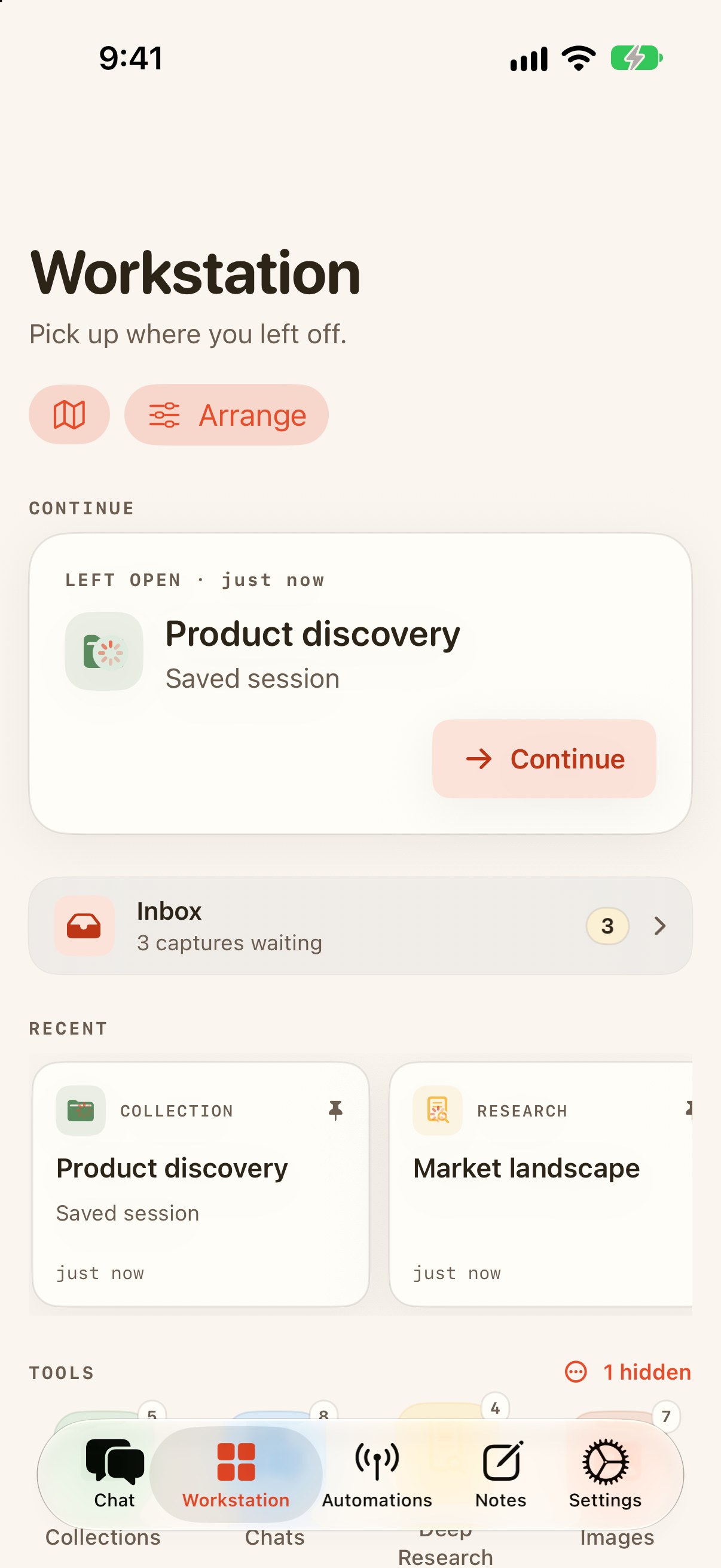
Save something from your phone, work through it on your Mac, and pick up the same project on the web. The useful context follows you.
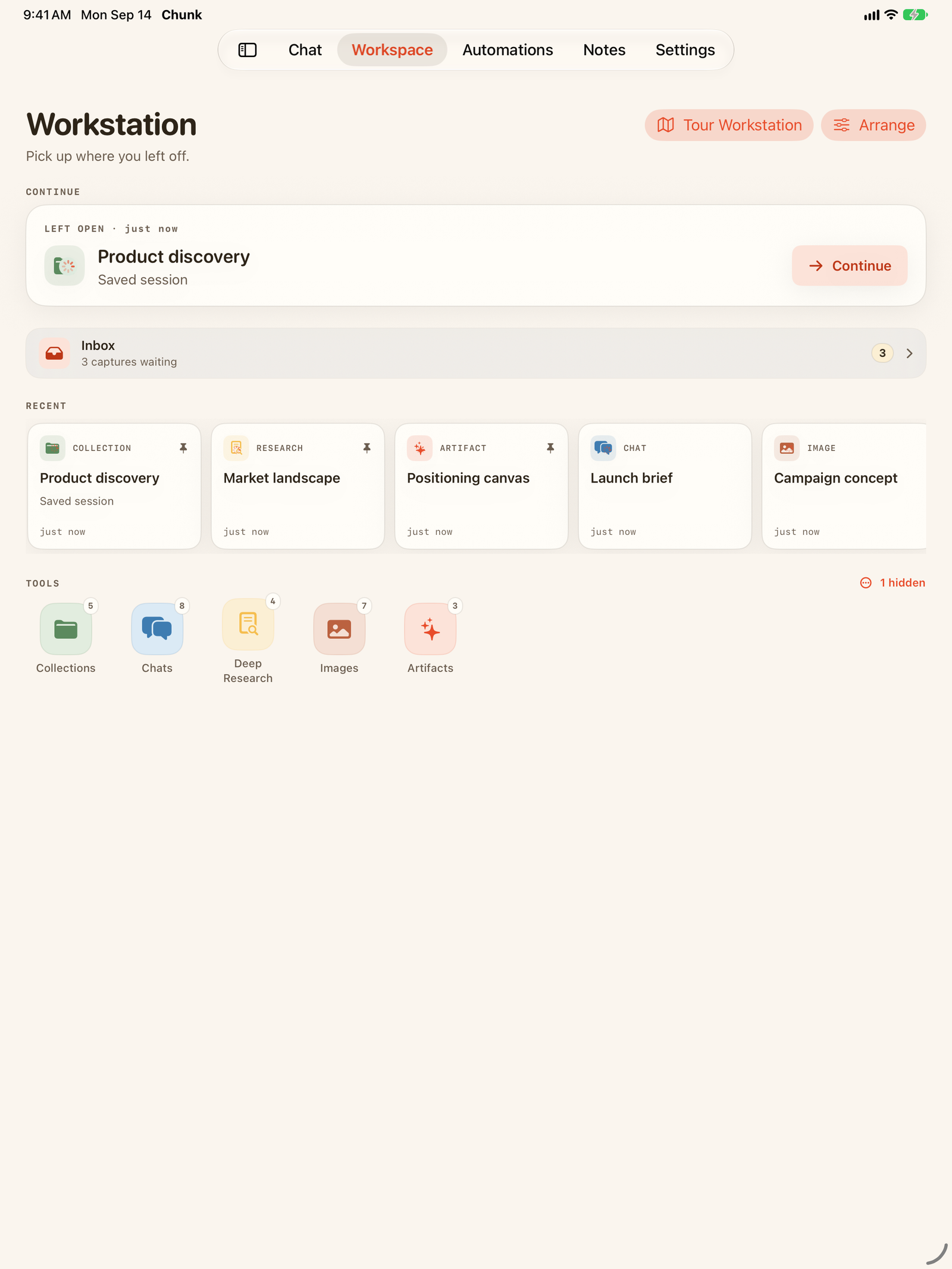
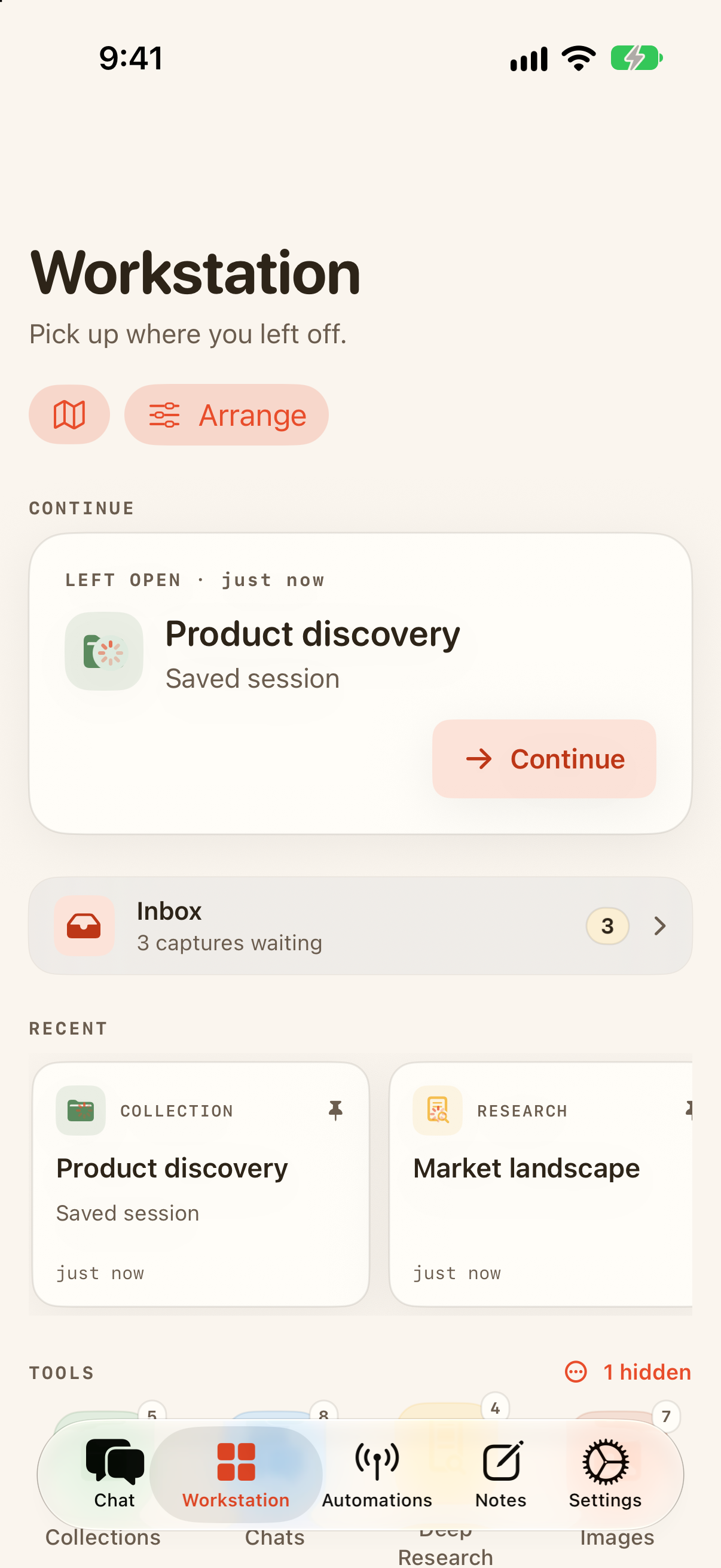
Chunk is a native app on iPhone, iPad, Mac, and Apple Vision Pro, and a web app in any browser. One App Store listing covers all four Apple platforms; a subscription works everywhere.
iPhone and iPad
iOS / iPadOS 18.4 or later
Save to Chunk from any share sheet, the Action Button, or a Shortcut. Home Screen widgets — Chunk AI ("Your AI dashboard — stats, activity, and quick actions at a glance") and Automations ("Your research runs, watchers, and digests at a glance") — and a Chunk AI Status Lock Screen widget. Live Activities follow research, Artifact transforms, and image generation on the Lock Screen and in the Dynamic Island.
Chunk for Mac is a sandboxed native app with a sidebar for Chat, Documents, Notes, Workstation, and Settings, six app menus, and keyboard shortcuts for most of what you do: ⌘N new conversation, ⇧⌘N new note, ⌥⌘N new collection, ⌘O upload a document, ⌘K search your Chunk, ⇧⌘M switch model, ⌘G grammar check, ⌘T summarize, ⇧⌘T translate. The Save to Chunk share extension works from any Mac app. Download from the same App Store listing.
Apple Vision Pro
visionOS 26.2 or later
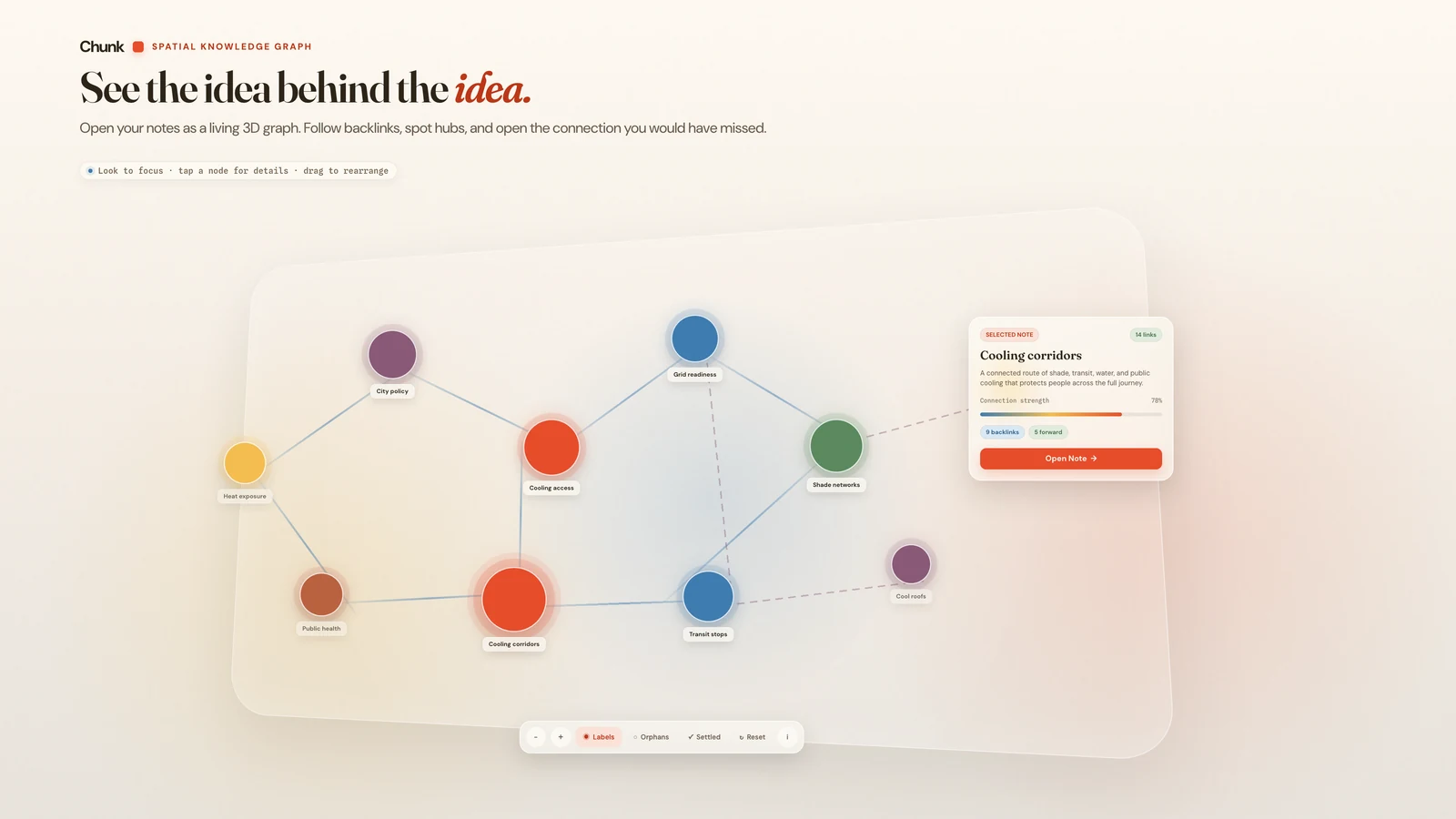
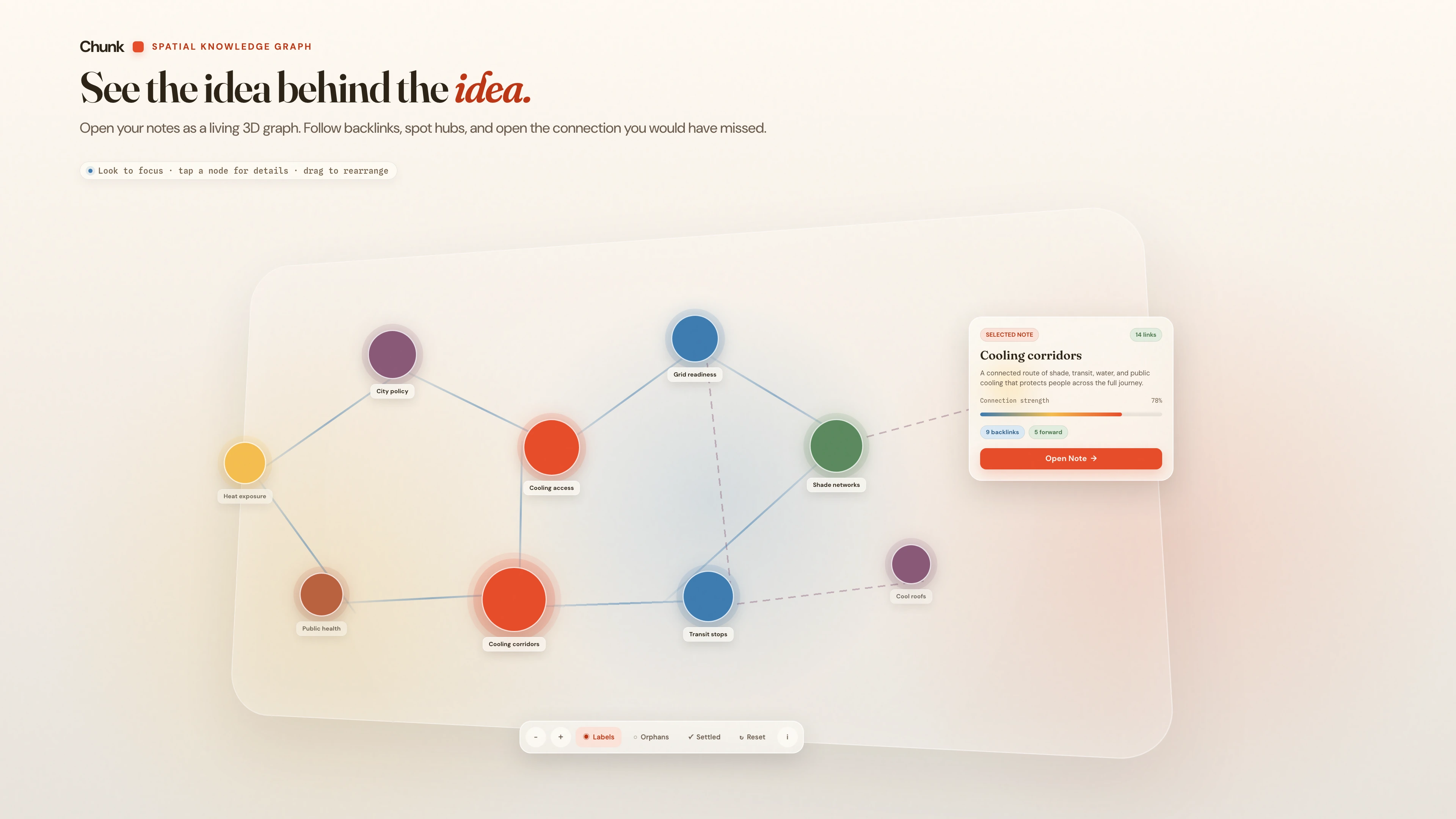
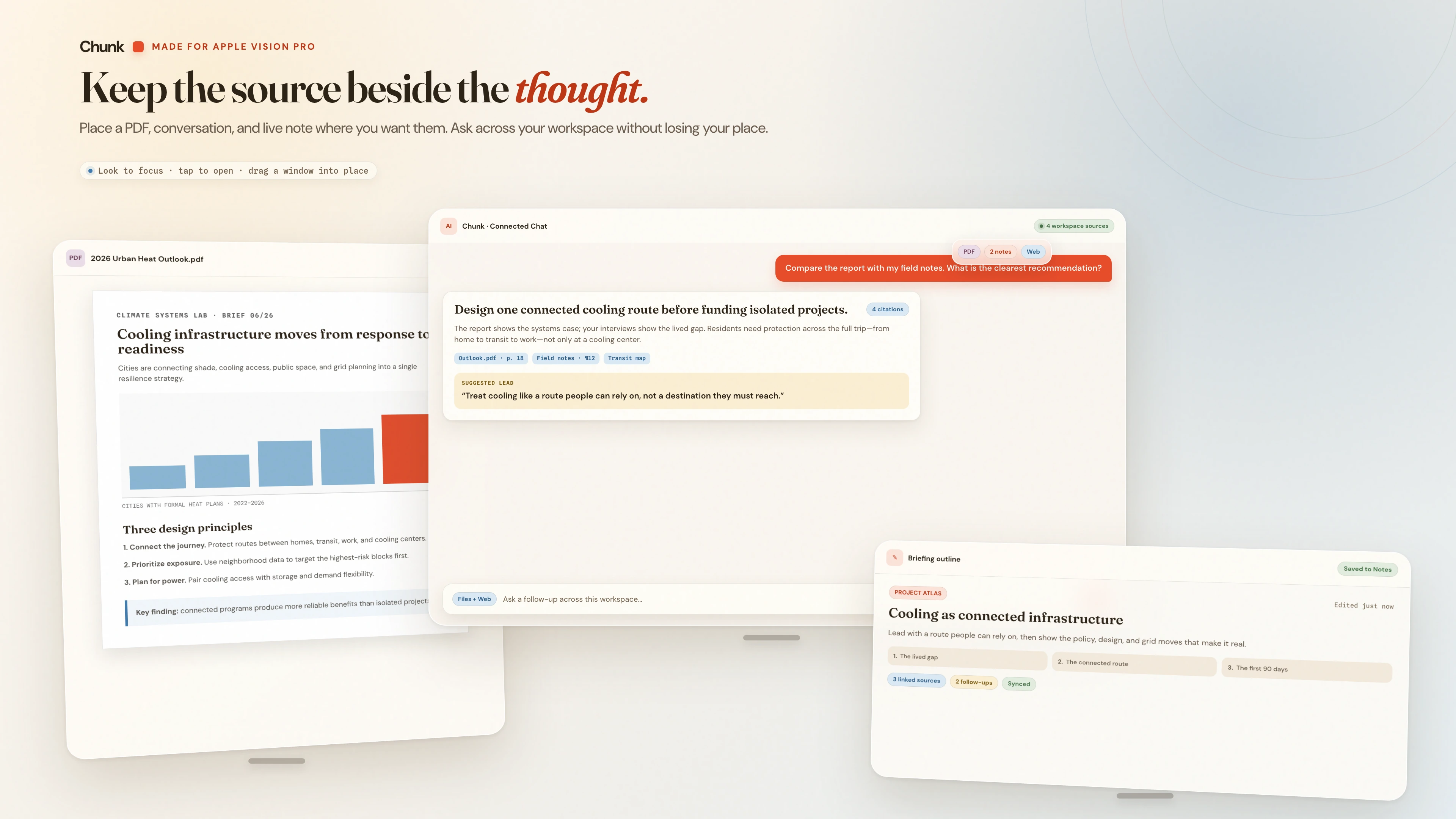
Chunk for visionOS keeps paper content inside the system glass window and adds a volumetric knowledge graph: open your notes as a living 3D graph, follow backlinks, spot hubs, and open the connection you would have missed. Documents and research PDFs open in their own windows, so you can place a PDF, a conversation, and a live note where you want them and ask across your workspace without losing your place.
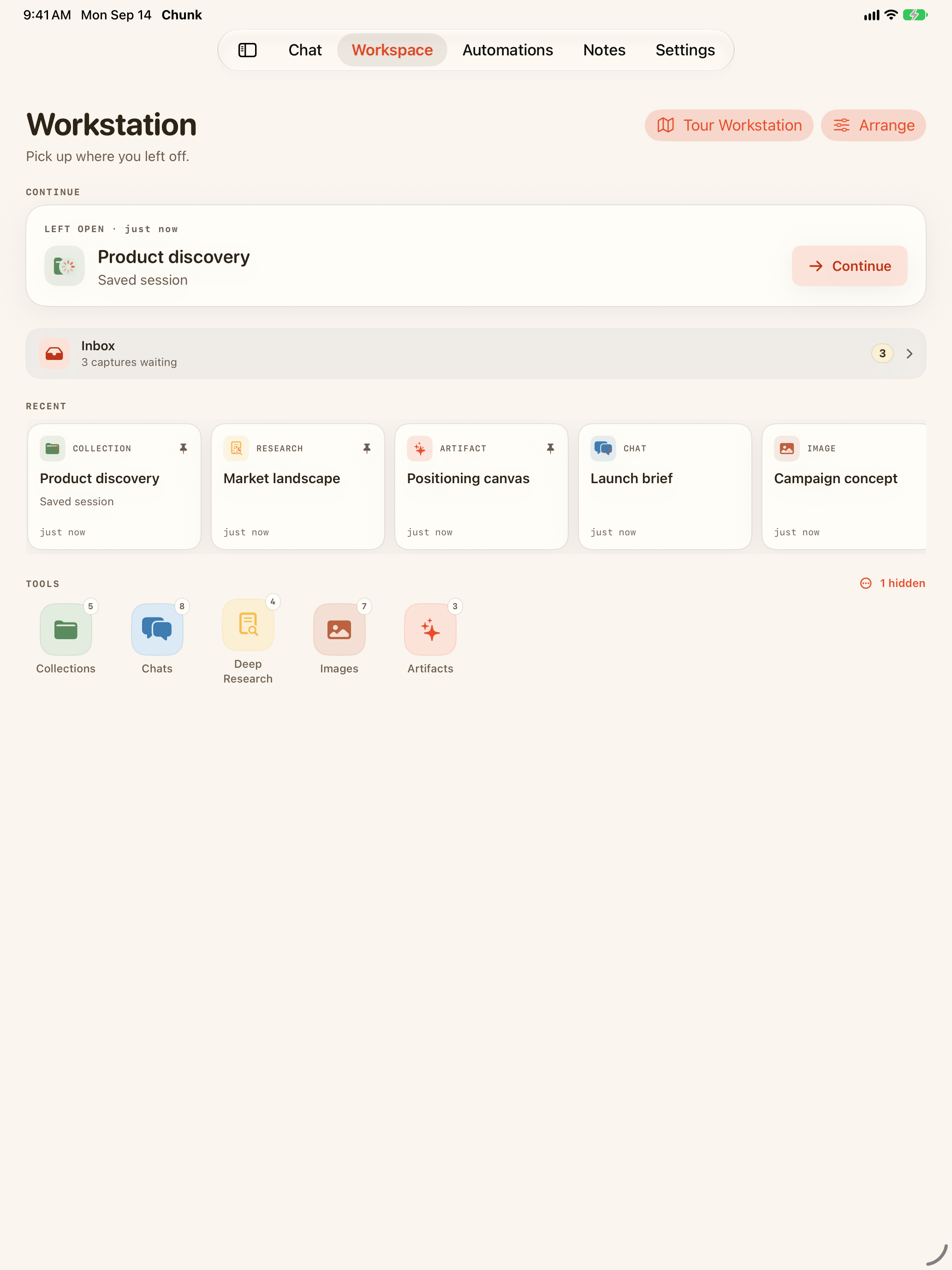
The full product at chunkapp.com: chat, Workstation, Notes, Automations, Documents, and Settings, with ⌘K search. The web app is where new features land first.
Chunk 2.6.0 · iOS, iPadOS, macOS & visionOS 27
Siri, Spotlight & Shortcuts
Chunk 2.6.0 adopts Apple's App Intents on iOS 27, macOS 27, and visionOS 27. When Siri AI is available and enabled on a device, you can ask Siri to create, add to, or update a Chunk note by voice, search in Chunk, and open your notes, documents, research reports, collections, Artifacts, captures, conversations, flashcard decks, and automations.
App Shortcuts
Save Artifact
Turn a link, image, or file into an Artifact — notes, summary, flashcards, quiz, and concept map — from the Shortcuts app, the Action Button, or a tile.
“Save this to my ⟨collection⟩ collection in Chunk”
also “Save this as an Artifact in Chunk”
Research
Start a cited research report that keeps running in the background and notifies you when it is ready.
“Research this in Chunk”
also “Start research in Chunk”
Add to Collection
File a note, document, research report, or capture into one of your collections.
“File this in Chunk”
also “Add this to a Chunk collection”
Review Flashcards
Open one of your flashcard decks and start reviewing.
“Review ⟨deck⟩ in Chunk”
also “Review flashcards in Chunk”
By voice, a plain "save this" creates a Chunk note holding what is on screen. Artifacts are made from the Save Artifact tile, the share sheet, or the Shortcuts app.
Spotlight
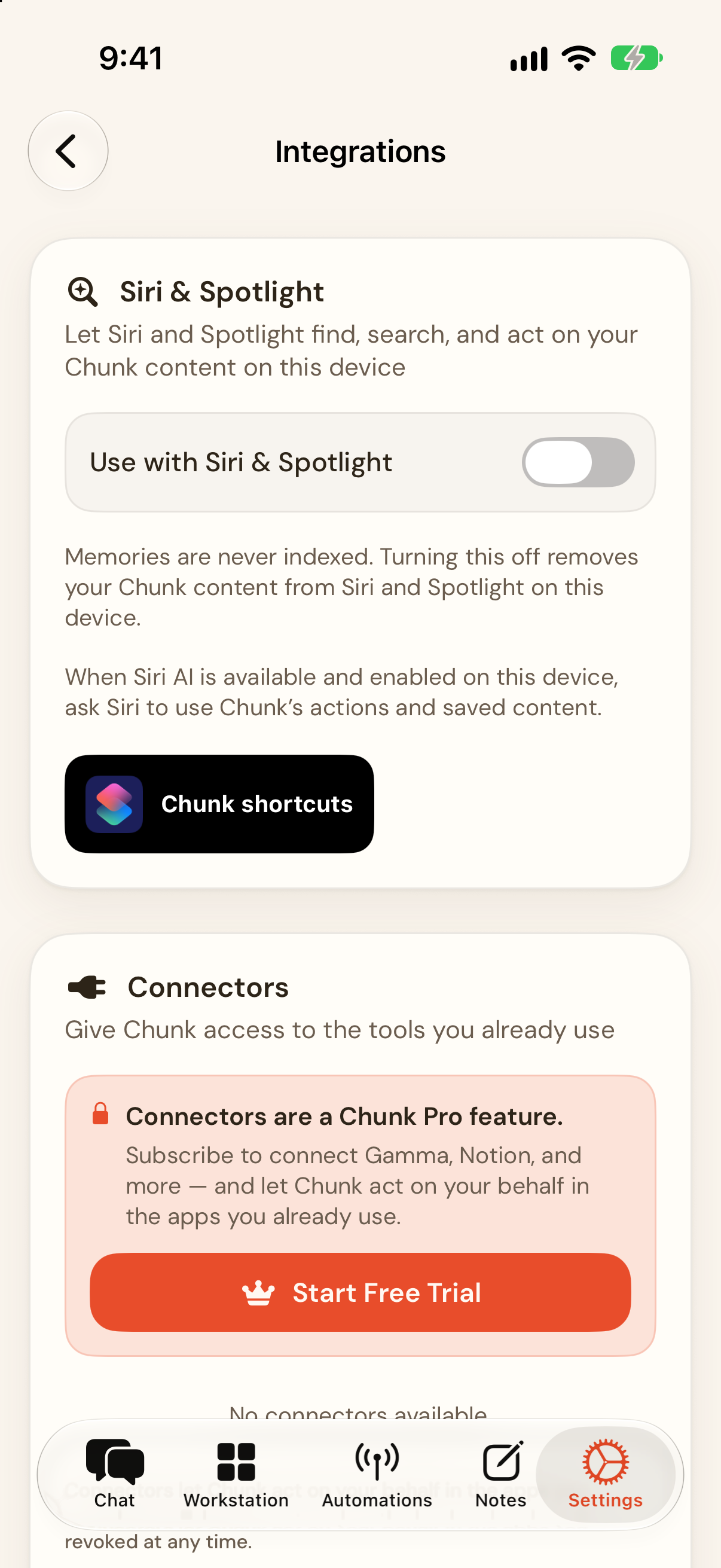
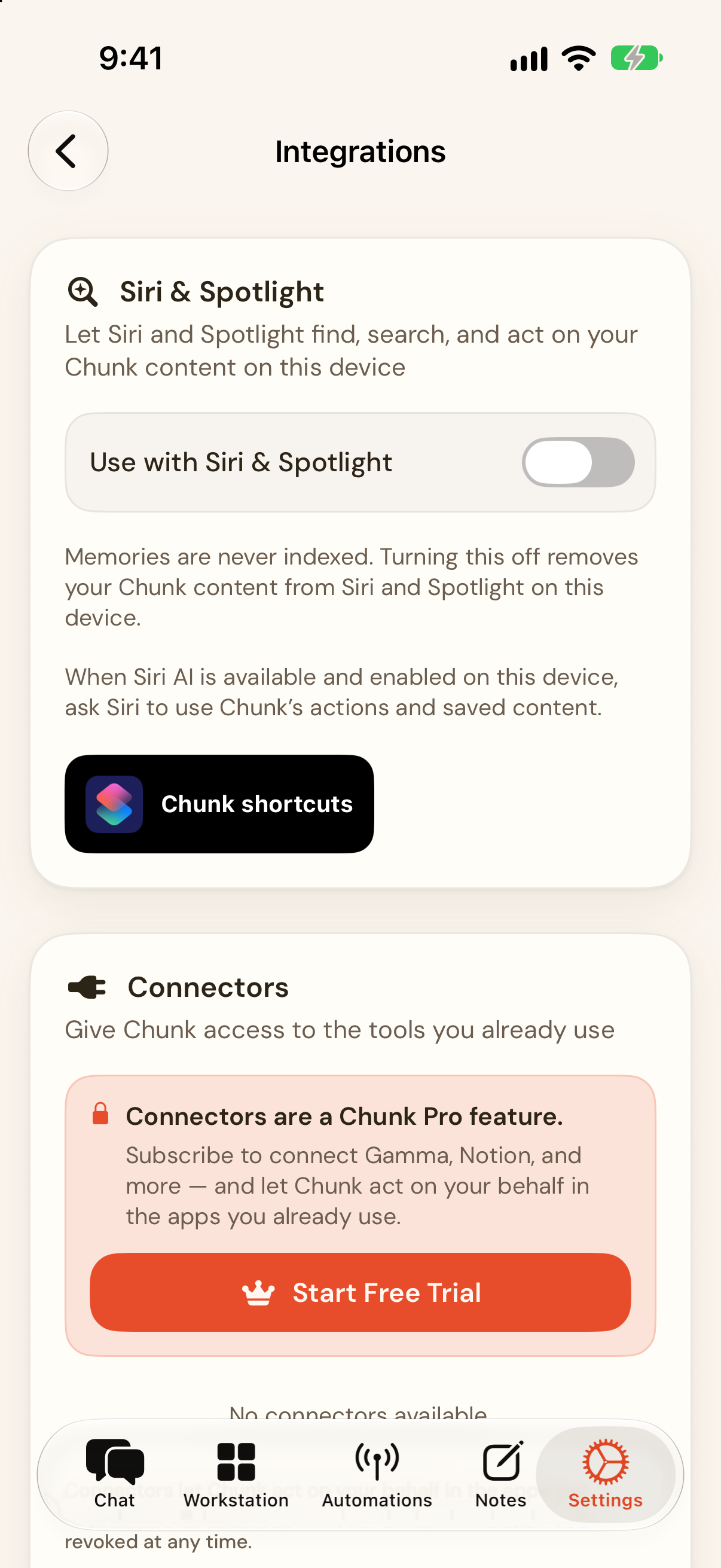
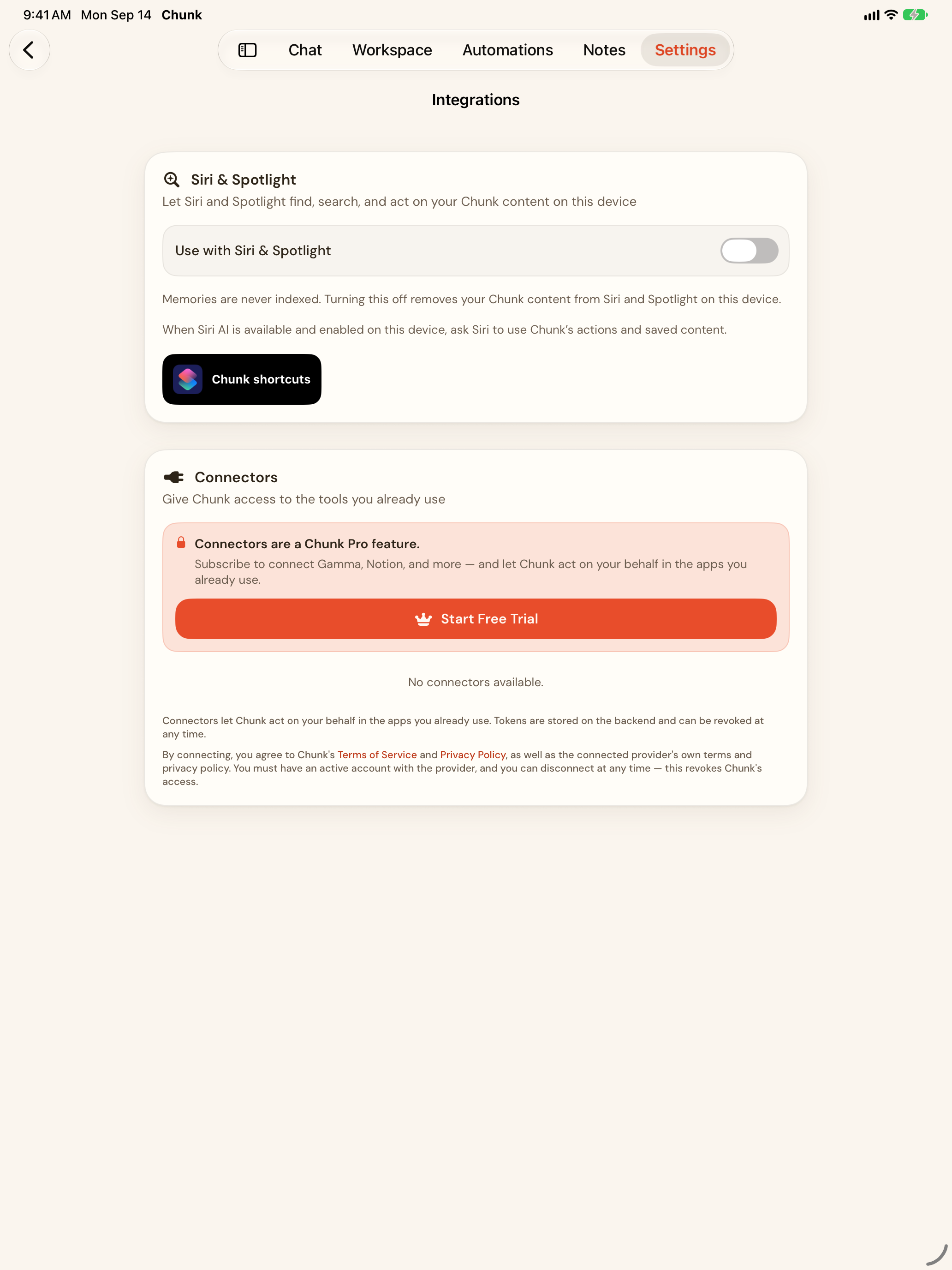
Notes, documents, research reports, collections, Inbox captures, Artifacts and flashcards, conversations, and automations can appear in Spotlight and in Siri's results. Each type has its own switch in Settings → Integrations → Siri & Spotlight, and turning the feature off removes Chunk content from Siri and Spotlight on that device. Memories are never indexed.
Shortcuts
Eleven actions appear in the Shortcuts app: the four tiles above plus Create Note, Append to Chunk Note, Update Chunk Note, Search in Chunk, Open Chunk Item, Export from Chunk, and Export Original Sources from Chunk. Research actions offer Quick Outline, Standard Report, Deep Dive, Detailed Report, or Resource List.
When Siri AI is available and enabled on this device, ask Siri to use Chunk's actions and saved content.
iPhone · The Siri & Spotlight card in Settings → Integrations. Memories are never indexed.
Click any screenshot to open it at full size in a new tab. Web, iPhone, iPad, and Mac images are captures of the shipped app with demo data; Vision Pro images are App Store artwork. All of them are in the zip.
Web
9 images
Studio Loop is a fictional planner used for demos.
All three are open-source (SIL Open Font License); they are not bundled in the zip.
Do
use the mark on paper or on dark;
keep the −6° tilt or set it square;
keep clear space of at least half the mark's width;
write "Chunk" (one word, capital C).
Don't
recolor the mark;
add a glow or gradient;
stretch it;
use the old "AI Search Assistant" lockup;
use the icon as a bullet in your own layout.
You may use these assets in articles, reviews, videos, and podcasts about Chunk without asking. Please don't alter the mark, imply endorsement, or present the Vision Pro artwork as a device capture.
08
Press contact
For interviews, review access, or anything not answered above.
Copy either version as-is. Each block has a Copy button.
About Chunk — short
Chunk is a source-backed knowledge workspace for research, projects, and learning. Ask across your notes, papers, and the web with citations you can inspect; turn a lecture or PDF into notes, flashcards, or a brief; and set an automation when a topic needs another look. Chunk runs on the web, iPhone, iPad, Mac, and Apple Vision Pro.
About Chunk — long
Chunk is a source-backed knowledge workspace for research, projects, and learning. It brings notes, papers, captures, and questions into one place, answers with the sources it used in view, and keeps the connections between ideas alive with wiki-links, backlinks, and a knowledge graph. Artifacts turn videos, audio, and PDFs into notes, summaries, flashcards, quizzes, and concept maps; Research writes cited reports at five depths; Automations rerun research, watch public pages, digest notes, and run bounded agent tasks on a schedule. Chunk does not sell your data or use your notes to train AI models, and every account can export notes as Markdown and reports as PDF or Markdown. Chunk is free to start, with Chunk Pro at $9.99 a month or $99.99 a year, on the web, iPhone, iPad, Mac, and Apple Vision Pro. It is made by Curious Minds Software, LLC in California.
About Curious Minds Software, LLC
Curious Minds Software, LLC is an independent software company in California and the maker of Chunk. It was founded by James Gobert, who designs and builds Chunk. Contact: [email protected].